
ASUS TUF F16 RTX 4050
4.0Editor score
Core 5 210H CPU
RTX 4050 GPU
16 inch FHD+ Display
Finding the right laptop for Fusion 360 is essential for engineers and designers who need reliable performance for 3D modeling and simulation tasks every single day.
We compared ten real products based on their processor speed, graphics capabilities, memory capacity, and display quality to ensure they meet the demands of professional CAD software.
Each pick highlights specific strengths and trade-offs so you can make an informed decision, but keep in mind that prices and availability change frequently on online stores.
4.0Editor score

4.5Editor score
4.0Editor score
As an Amazon Associate we earn from qualifying purchases.
The following table provides a side-by-side look at all ten models, highlighting their key specifications to help you quickly identify which one fits your specific workflow needs.




This HP Victus laptop stands out as a top choice for Fusion 360 users due to its robust hardware configuration that handles complex 3D modeling with ease.
We may earn a commission when you buy through this link, at no additional cost to you.
The 8-core Intel Core i5 processor combined with 32GB of RAM ensures that you can run multiple applications simultaneously without experiencing significant slowdowns or lag during heavy design sessions.
While the gaming-focused aesthetic might not appeal to everyone, the performance benefits including the RTX 3050 graphics card provide smooth rendering and viewport navigation essential for professional CAD work.
Ideal for engineering students and professionals who need a reliable machine for both design work and entertainment, this laptop offers a balanced mix of power and value.
With 32GB of RAM, you can keep Fusion 360, web browsers, and communication tools open simultaneously without worrying about system memory bottlenecks.
The NVIDIA RTX 3050 graphics card accelerates viewport interactions and rendering tasks, making it easier to inspect detailed models and assemblies.
We may earn a commission when you buy through this link, at no additional cost to you.
The ASUS TUF F16 represents a premium choice for those who demand the latest technology and superior display real estate for their Fusion 360 workflows and detailed design tasks.
We may earn a commission when you buy through this link, at no additional cost to you.
Its Intel Core 5 210H processor and 32GB of DDR5 RAM provide exceptional speed for complex simulations and large assembly management within the software environment.
Although the price is higher than many alternatives, the inclusion of a laptop cooler and the powerful RTX 4050 graphics card justify the investment for users who prioritize performance and longevity.
This model is best suited for professionals who need a high-end machine capable of handling intensive tasks over many years without frequent upgrades or replacements.
The 16-inch FHD+ screen offers more workspace for toolbars and model views, which is crucial for efficient navigation in complex CAD interfaces.
DDR5 RAM delivers faster data transfer rates compared to DDR4, ensuring quicker load times for large files and smoother multitasking performance.
We may earn a commission when you buy through this link, at no additional cost to you.
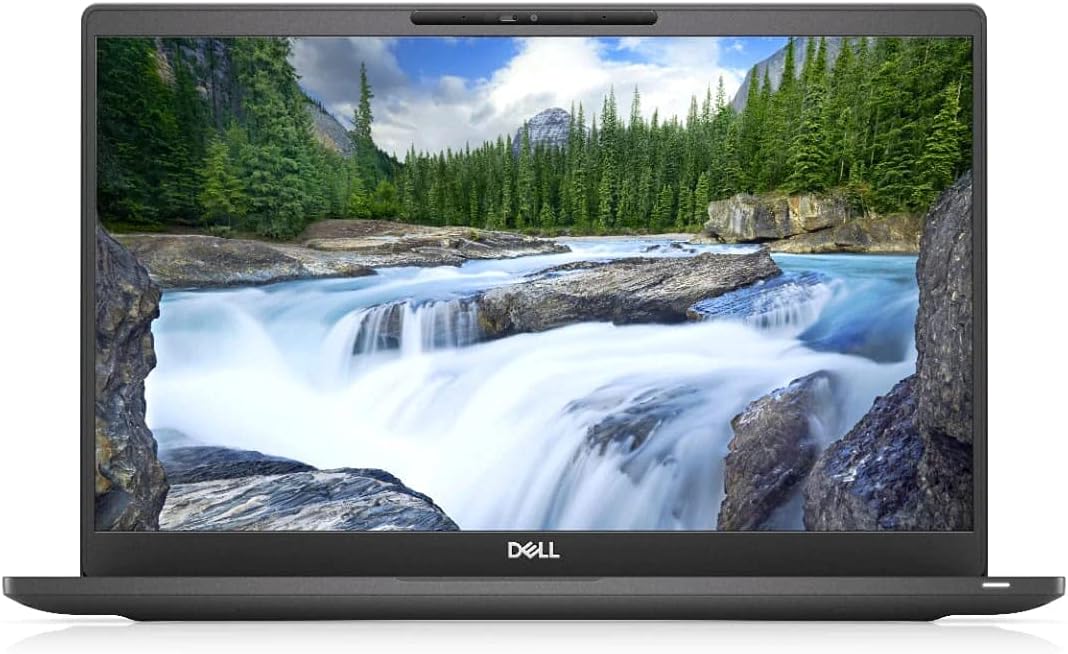
The Dell Latitude 7400 offers a compelling budget-friendly option for Fusion 360 users who prioritize memory capacity and build quality over the latest processor technology.
We may earn a commission when you buy through this link, at no additional cost to you.
With an impressive 32GB of RAM, this machine can handle multitasking and large file operations effectively, even though the processor is from an earlier generation.
While it lacks a dedicated graphics card, the system is capable of running Fusion 360 for general modeling tasks, making it a viable choice for students or light professional use.
This laptop is ideal for users seeking a reliable workhorse at a lower price point who are comfortable with slightly older hardware specifications.
Despite the older CPU, the abundant RAM ensures that the system remains responsive during typical design workflows and file management tasks.
As a Latitude model, it is built to withstand daily professional use, offering a sturdy chassis that can survive the rigors of a work environment.
We may earn a commission when you buy through this link, at no additional cost to you.
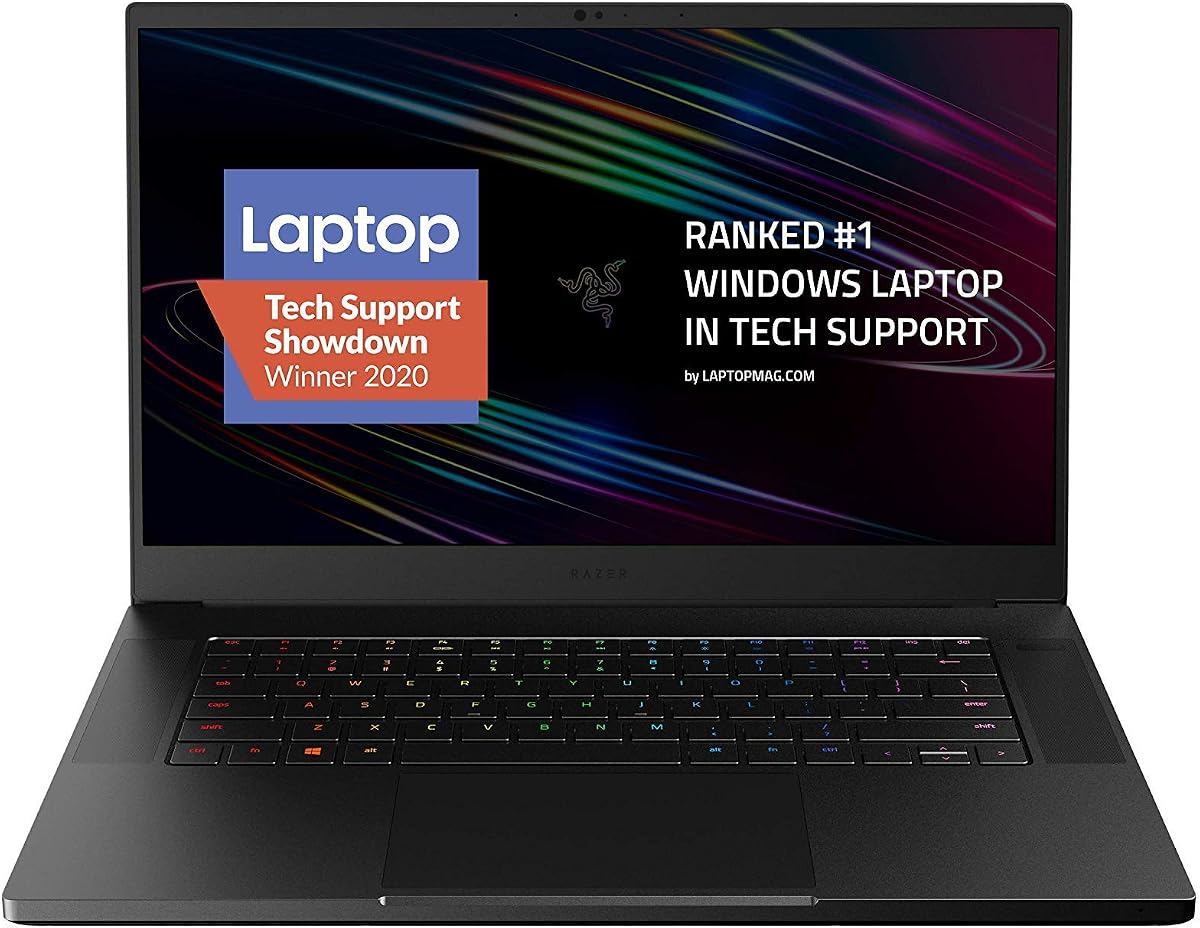
The Razer Blade 15 Advanced combines a sleek, professional design with high-performance gaming hardware that can be leveraged for demanding Fusion 360 workflows.
We may earn a commission when you buy through this link, at no additional cost to you.
Its RTX 2070 Super graphics card provides significant acceleration for rendering and viewport navigation, though the 16GB RAM might limit performance with very large assemblies.
While the price is high, the build quality and the high refresh rate display offer a premium experience that appeals to users who value aesthetics and portability alongside power.
This laptop is best for professionals who need a stylish machine for client meetings and also want the capability to handle intensive 3D modeling tasks.
The 300Hz screen ensures extremely smooth cursor movement and rotation, which can reduce eye strain during long periods of model manipulation.
The CNC aluminum chassis provides a rigid and durable structure that protects internal components while maintaining a slim profile for travel.
We may earn a commission when you buy through this link, at no additional cost to you.
The ASUS TUF Gaming FX505GT offers a sturdy and reliable platform for Fusion 360 that balances performance with rugged construction suitable for various environments.
We may earn a commission when you buy through this link, at no additional cost to you.
While it features a dedicated GTX 1650 graphics card which helps with rendering, the 8GB of RAM is a limitation that might require an upgrade for heavy multitasking.
The 144Hz display ensures smooth visuals during model rotation, and the MIL-STD-810G construction means it can handle rough handling better than many consumer laptops.
This model is suitable for users who need a durable machine for field work or students who require a budget-friendly entry into CAD work.
Built to military standards, this laptop can withstand shocks and vibrations, making it a reliable choice for engineers who work outside a standard office.
The GTX 1650 provides necessary acceleration for 3D tasks that integrated graphics cannot handle, ensuring smoother interaction with complex geometry.
We may earn a commission when you buy through this link, at no additional cost to you.
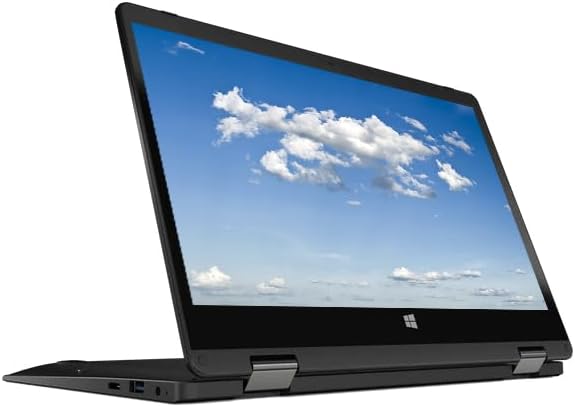
The HP 2026 X360 is an entry-level convertible that provides basic functionality for light tasks, though it may struggle with demanding Fusion 360 simulations.
We may earn a commission when you buy through this link, at no additional cost to you.
Its touchscreen and 2-in-1 design allow for flexible use cases, but the 11.6-inch screen and modest processor limit its utility for professional CAD work.
With only 128GB of storage and 8GB of RAM, users should expect to manage files carefully and may experience slower performance on complex models.
This laptop is best suited for students or light users who need a portable device for basic viewing and editing rather than intensive design work.
The 360-degree hinge allows you to use the device as a tablet or tent, which can be useful for presentations or consuming content in different settings.
Weighing very little and featuring a small footprint, this laptop is easy to carry around for those who prioritize transport over raw performance.
We may earn a commission when you buy through this link, at no additional cost to you.
The Acer Gateway 11.6 is a budget-friendly convertible option that offers basic functionality but lacks the power needed for substantial Fusion 360 engineering tasks.
We may earn a commission when you buy through this link, at no additional cost to you.
With only 4GB of RAM and 64GB of storage, this machine is best suited for web browsing and lightweight document editing rather than complex 3D modeling.
It may be an acceptable option for students who need a secondary device for viewing drawings or for users with extremely minimal software requirements.
For anyone serious about CAD work, the limitations in memory and processing power make this a poor choice for primary professional usage.
The compact size makes it easy to fit into small bags, making it a convenient travel companion for non-intensive computing needs.
As a renewed budget model, it provides a low-risk way to own a Windows convertible laptop for very basic tasks without a significant financial investment.
We may earn a commission when you buy through this link, at no additional cost to you.
The HP Chromebook x360 14b is a highly-rated portable device that runs ChromeOS, offering a fast and secure experience for web-based tasks and viewing files.
We may earn a commission when you buy through this link, at no additional cost to you.
While it is excellent for general productivity and media consumption, it cannot run Fusion 360 natively and relies on cloud or web-based alternatives which may lack full features.
The 8GB of RAM and efficient processor ensure smooth operation within the ChromeOS ecosystem, making it a great secondary machine for lightweight work or learning.
This is a good choice for users who need a reliable device for browsing and document editing but do not require full desktop CAD software capabilities.
ChromeOS is designed for speed and security, meaning you can get to your work quickly without dealing with complex system updates or viruses.
This laptop excels at running web apps, allowing you to access cloud storage and web tools easily without needing heavy local installations.
We may earn a commission when you buy through this link, at no additional cost to you.
The Acer Chromebook Spin 513 is a highly portable ChromeOS laptop that is perfect for basic tasks but falls short for professional Fusion 360 engineering requirements.
We may earn a commission when you buy through this link, at no additional cost to you.
With limited RAM and storage, it is designed for lightweight web browsing and document management rather than running complex 3D modeling software locally.
Its ruggedized glass display and flexible hinge make it durable for students, but users should not expect to run heavy CAD applications without cloud solutions.
This device is best for users who want a secondary travel laptop for checking emails and viewing files when away from a primary workstation.
The Corning Gorilla Glass on the display provides extra protection against scratches and minor impacts, adding to its durability for daily use.
The efficient Snapdragon processor ensures long battery life, allowing you to work throughout the day without needing to carry a charger.
We may earn a commission when you buy through this link, at no additional cost to you.
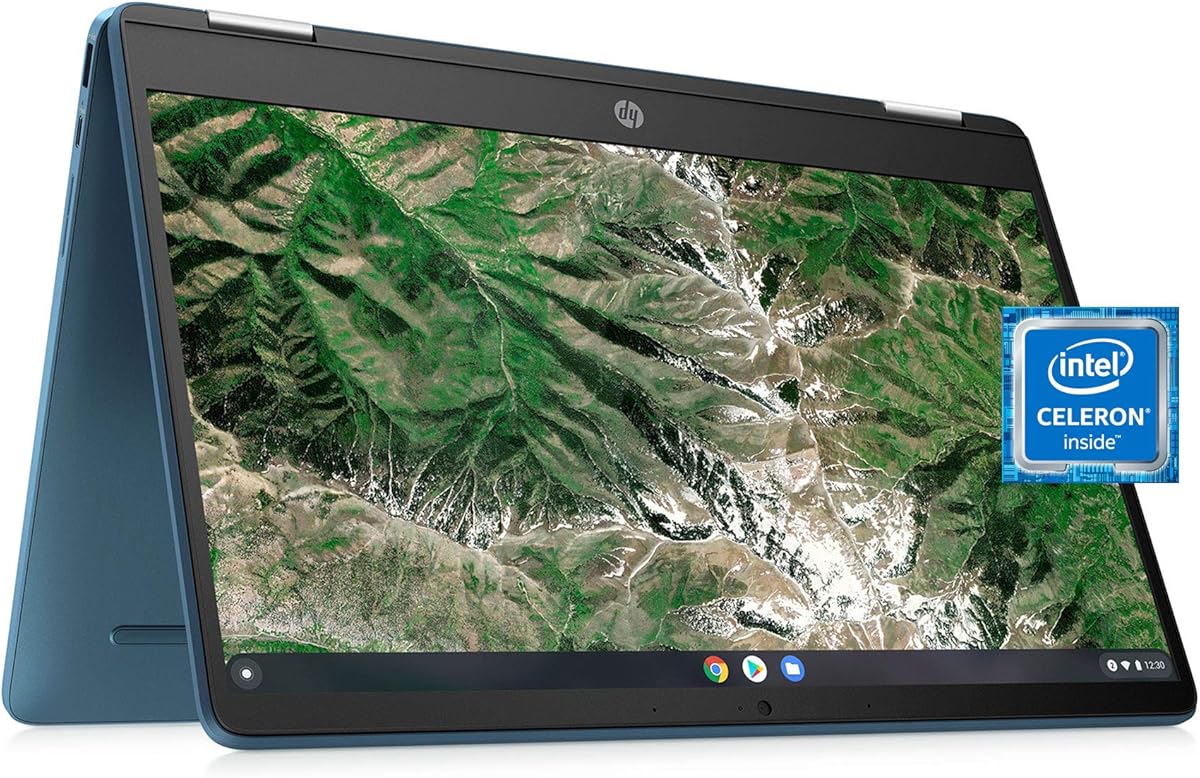
The HP X360 14a is an entry-level Chromebook that offers basic convertible functionality for everyday tasks but lacks the power for engineering software like Fusion 360.
We may earn a commission when you buy through this link, at no additional cost to you.
Its Celeron processor and 4GB of RAM are sufficient for web browsing and video streaming but will struggle with any heavy computational loads or multitasking.
For users who simply need a cheap, portable device to browse the internet or write documents on the go, this model provides decent value for the price.
This laptop is not recommended for professionals or students needing to run heavy desktop applications, as its hardware is not built for such demands.
Weighing very little, this laptop is easy to slip into a backpack and take anywhere for light work or study sessions away from home.
The ChromeOS interface is straightforward and user-friendly, making it an accessible choice for those who need a hassle-free computing experience.
We may earn a commission when you buy through this link, at no additional cost to you.
Selecting the right laptop requires balancing performance with portability and budget to ensure smooth operation of Fusion 360 and related design tools.
The processor is the brain of your laptop and directly impacts how quickly it can calculate complex 3D geometry and simulations within Fusion 360.
Look for multi-core processors from Intel or AMD to ensure that your machine can handle rendering and modeling tasks without frequent lag or slowdowns.
Random Access Memory is crucial for holding active data and allowing you to run multiple programs at once without system crashes or freezes.
For Fusion 360, having at least 16GB of RAM is recommended to ensure smooth operation, but 32GB is better for large assemblies and heavy multitasking.
A dedicated graphics card is essential for rendering complex models and providing smooth navigation within the 3D viewport of Fusion 360.
NVIDIA GPUs are generally preferred for their robust driver support and performance in CAD applications, so look for RTX or Quadro series cards if possible.
A high-resolution display is necessary to see fine details in your designs and to comfortably fit multiple toolbars and windows on the screen.
Prioritize Full HD screens or larger with good color accuracy to ensure that your visual work is accurate and easy on the eyes during long sessions.
Solid State Drives significantly reduce boot times and file load speeds, which improves overall productivity when working with large design files.
Always look for NVMe SSDs to ensure fast data access, as traditional hard drives can create bottlenecks when saving or opening complex projects.
If you need to carry your laptop to client meetings or job sites, the weight and size become significant factors in your daily comfort and convenience.
Aim for a model that balances screen size with weight, as a heavier machine might be powerful but difficult to use for extended periods away from a desk.
Battery life is often compromised on powerful machines, but it is important to check how long your laptop can run on battery power before needing a recharge.
Look for models with efficient processors and good power management features to ensure you can complete work tasks without being tethered to an outlet.
Ensure that the operating system supports the latest version of Fusion 360 to avoid compatibility issues that could limit functionality or performance.
Windows is generally the safest choice for professional CAD software, while macOS users should verify system requirements before making a purchase.
To maximize performance, ensure your laptop has adequate ventilation by placing it on a hard, flat surface to prevent overheating during intensive modeling sessions.
Regularly update your graphics drivers to take advantage of the latest optimizations for Fusion 360 and to fix any bugs that may arise during use.
Keep your storage drive organized and use cloud backups for your important design files to prevent data loss in case of hardware failure or accidental deletion.
While 8GB of RAM can run Fusion 360 for very basic tasks, it is often insufficient for smooth performance with complex models. For optimal results, especially when working with large assemblies, upgrading to at least 16GB or 32GB is highly recommended.
Yes, a dedicated graphics card is essential for professional use of Fusion 360. Integrated graphics may struggle with viewport navigation and rendering, leading to a frustrating experience when working with detailed designs.
Yes, Fusion 360 runs on macOS, but you must ensure your system meets the minimum hardware requirements. Always check compatibility with the specific version of macOS you plan to use before purchasing.
A screen size of 15 inches or larger is generally preferred for CAD work to provide enough space for toolbars and model views. However, 13 to 14-inch screens can work if you plan to use an external monitor.
Yes, using a Solid State Drive is crucial for fast loading times and smooth operation. Traditional hard drives are slower and can create bottlenecks when opening or saving complex design files.
Gaming laptops often provide excellent performance for Fusion 360 due to their powerful processors and dedicated graphics cards. If you need high performance, they can be a cost-effective alternative to specialized workstations.
Choosing the right laptop for Fusion 360 depends on your specific needs, but the HP Victus and ASUS TUF models offer excellent balance for most professionals.
Prioritize RAM and graphics performance over flashy features, as these core components determine how smoothly your software runs during complex modeling tasks.
Remember to check current prices and availability before making a final decision since deals change frequently and can significantly impact your total cost.