
2pcs Keyboard Stands, Mini Laptop Stand for Desk, Portable Laptop Stand Compatible with MacBook Air Pro, Dell XPS, Lenovo, HP More. (Black)
4.6Editor score
Aluminum alloy materials
Wide laptop compatibility
Improves sitting posture
Finding the right laptop kickstand can transform your workspace by improving posture and cooling performance. These small accessories lift your device for better airflow and screen positioning.
We compared ten highly rated stands based on material quality, portability, and ergonomic benefits. Each product offers unique features to suit different needs and device sizes.
Each pick highlights key strengths and potential trade-offs to help you decide. Prices and availability change frequently so verify details before purchasing your next stand.
4.6Editor score

4.6Editor score

4.7Editor score
As an Amazon Associate we earn from qualifying purchases.
This side-by-side comparison reviews ten top laptop kickstands available this month. Evaluate each model on build material, adjustable height options, and overall device compatibility.
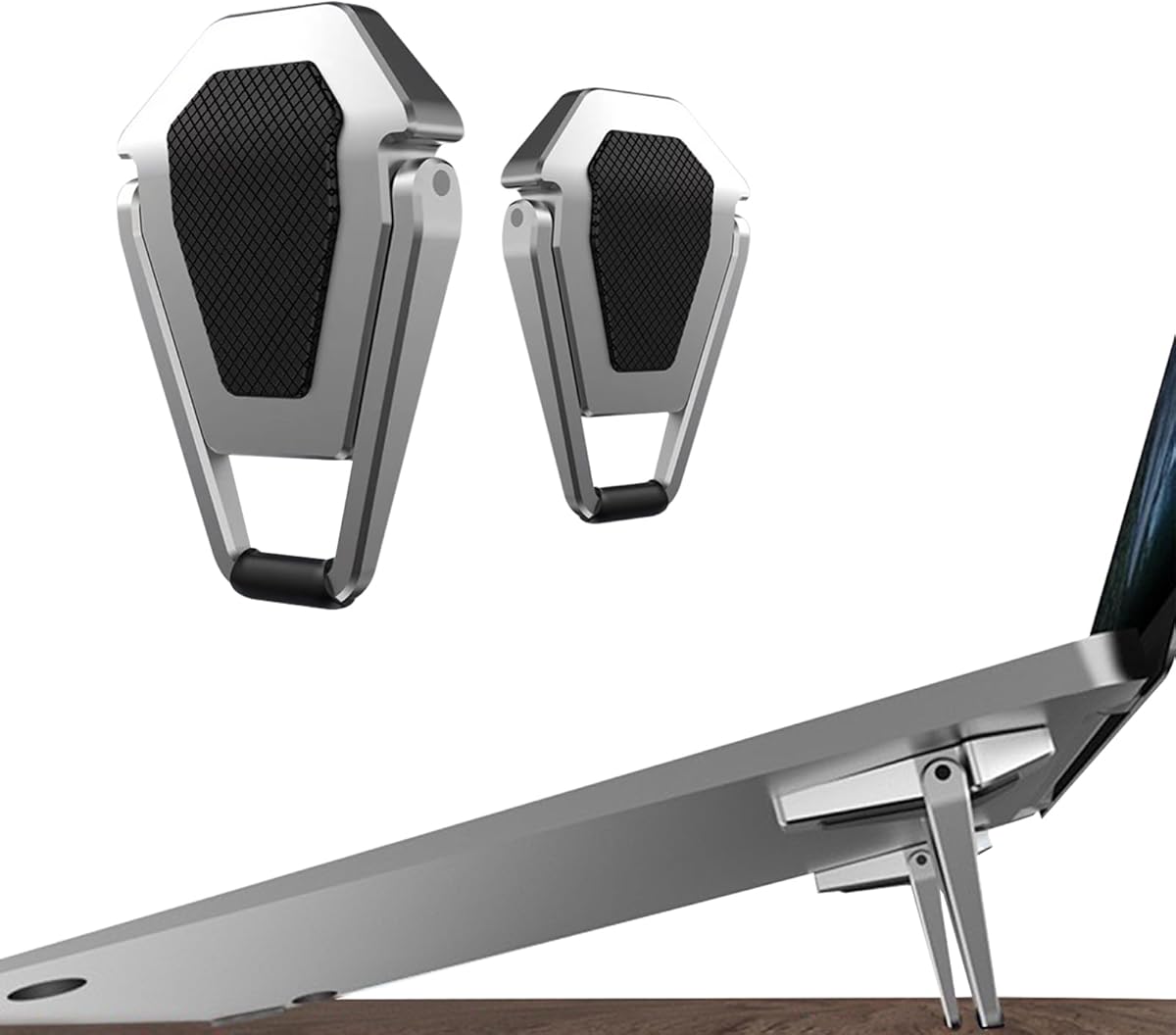

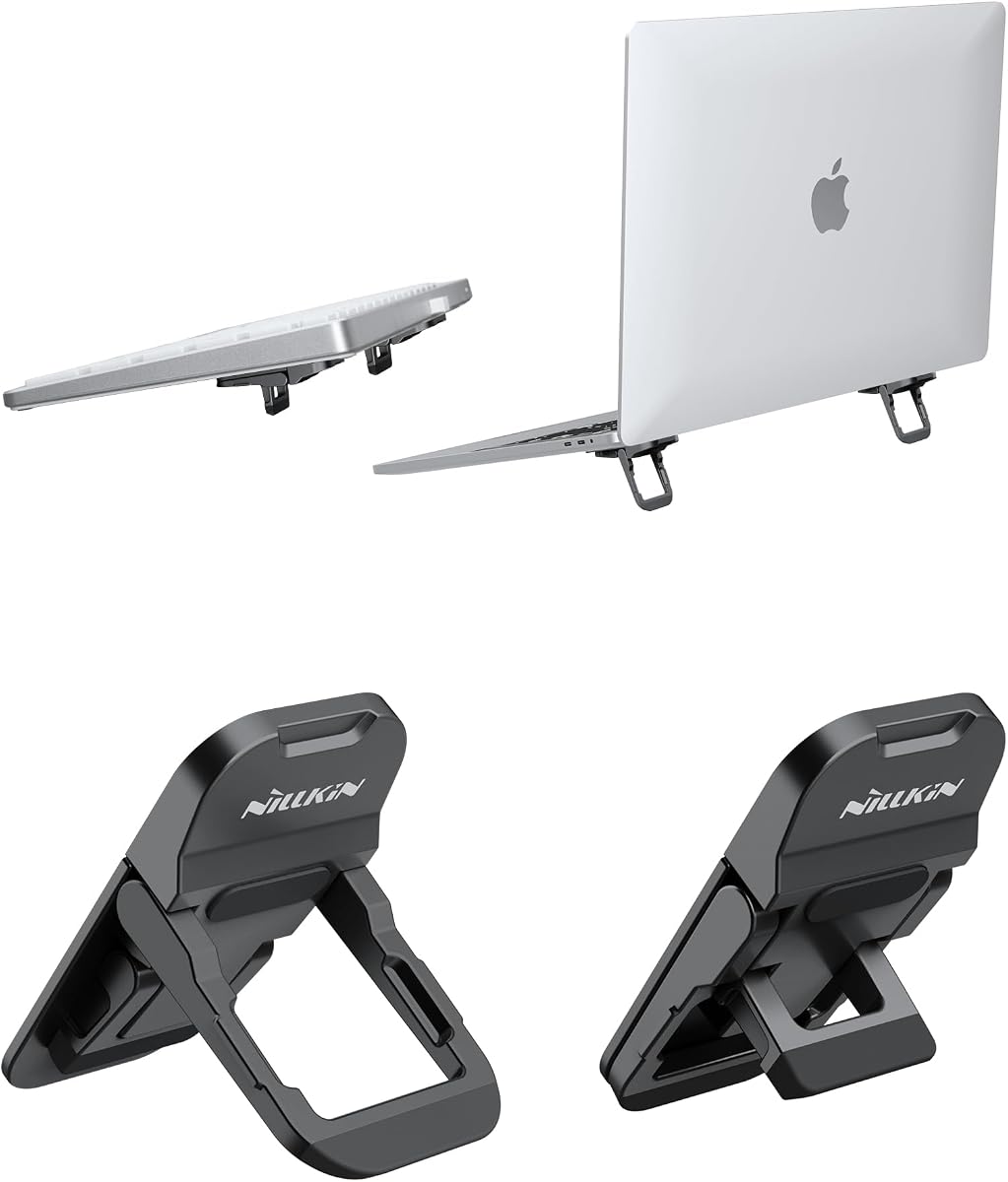


This dual pack offers an affordable solution for lifting your laptop. With a 4.6 rating users praise its durability and practical benefits for daily typing sessions.
We may earn a commission when you buy through this link, at no additional cost to you.
Made from aluminum alloy these stands are robust yet lightweight. They improve airflow to keep devices cool while offering a comfortable viewing angle for ergonomic typing.
The fixed angle might not suit everyone but the included two pieces allow flexibility. Some users note the adhesive can be tricky but the stability is solid.
Ideal for budget conscious buyers this stand delivers reliable performance. It is a smart choice for anyone needing extra cooling and posture support at minimal cost.
Aluminum alloy ensures long term use and stability during typing.
Lifting the device improves airflow to prevent overheating during use.
We may earn a commission when you buy through this link, at no additional cost to you.
Weighing just 24 grams this stand is perfect for travelers. It supports laptops from 12 to 20 inches with an adjustable tilt for ergonomic comfort.
We may earn a commission when you buy through this link, at no additional cost to you.
The zinc alloy construction ensures it can bear significant weight. Rubber pads protect your desk and laptop while the adjustable tilt allows customization.
Some users report the adhesive may lose strength over time. However the lightweight design and compact folded size make it a strong travel companion.
Buy this if portability is your top priority. It balances weight and functionality well though you might need to reapply adhesive occasionally.
Folds down small and weighs very little for easy packing.
Ranges from 15 to 25 degrees for customized viewing height.
We may earn a commission when you buy through this link, at no additional cost to you.
This model stands out for its adjustable height feature. You can choose between 10, 20, or 36mm lifts to suit your ergonomic needs.
We may earn a commission when you buy through this link, at no additional cost to you.
The double stability design prevents the stand from falling off easily. Aluminum construction aids cooling by acting as a thermal pad for your laptop.
The increased base area requires careful surface selection for adhesion. However the versatility in height makes it a top choice for desk setups.
Recommend this for users needing specific viewing heights. It offers excellent airflow and stability at a competitive price point.
Three distinct height options allow precise ergonomic adjustments.
Larger base area reduces risk of accidental detachment from laptop.
We may earn a commission when you buy through this link, at no additional cost to you.
This two pack adds value with a free privacy webcam cover. The dual angle options let you switch between casual browsing and ergonomic typing heights.
We may earn a commission when you buy through this link, at no additional cost to you.
ABS plastic keeps it lightweight and durable. Anti slip silicone ensures your laptop stays secure while the universal fit covers most devices.
The plastic build feels less premium than metal options. Some users report stability issues but the privacy feature makes it a unique budget pick.
Buy this if you want extra privacy features. It is a great value for students or professionals concerned about digital security.
Includes a webcam cover to block digital snooping.
Switch between 8 and 13 degrees instantly.
We may earn a commission when you buy through this link, at no additional cost to you.
This stand offers three precise angles for ergonomic typing. Zinc alloy construction ensures it is sturdy enough for heavy laptops and keyboards.
We may earn a commission when you buy through this link, at no additional cost to you.
The nano adhesive sticks firmly without leaving residue. You should let it sit for an hour for best adhesion results.
The wait time for adhesive curing can be inconvenient. However the precision angles and dual use for keyboards make it a strong contender.
Ideal for users needing exact typing angles. It balances durability with portability effectively for daily use.
Three specific angles reduce strain during long work sessions.
Compatible with external keyboards for additional comfort.
We may earn a commission when you buy through this link, at no additional cost to you.
This two pack provides zinc alloy stands that fold for storage. Each is small at about 1.65 inches but supports laptops and keyboards effectively.
We may earn a commission when you buy through this link, at no additional cost to you.
The double sided tape included makes installation simple. Anti slip stickers ensure your device stays secure while typing or working.
The small size may limit stability for larger laptops. However for portable setups or keyboard use it offers great value.
Buy this if you need multiple stands for different devices. It is excellent for office and outdoor work environments.
Folds flat to fit easily into laptop bags or pockets.
Includes two stands so you can use them on two devices.
We may earn a commission when you buy through this link, at no additional cost to you.
This versatile stand converts between laptop riser tablet easel and phone holder. Aerospace aluminum ensures it can handle heavy gaming laptops securely.
We may earn a commission when you buy through this link, at no additional cost to you.
The MagSafe magnet supports iPhones quickly. Eight height slots let you find the perfect viewing angle for any device.
The magnetic feature requires specific phone models to work best. It is pricier but replaces multiple accessories with one device.
Best for users with multiple devices needing a desk hub. It is durable and offers unmatched versatility in one package.
Integrated magnet snaps securely to MagSafe compatible phones.
Eight levels provide up to 5.5 inches of lift.
We may earn a commission when you buy through this link, at no additional cost to you.
With a 4.7 rating this premium stand delivers top notch quality. Zinc alloy and TPU non slip materials ensure stability and longevity.
We may earn a commission when you buy through this link, at no additional cost to you.
Three height levels provide comfortable viewing without complexity. The slim design fits perfectly under devices for a clean look.
It is pricier than budget options but the build quality justifies it. Users praise the reliability and premium feel during typing.
Choose this if quality is your main priority. It offers excellent durability and ergonomic support for any setup.
High quality metal and TPU ensure long term durability.
Three clear height steps make adjustment effortless.
We may earn a commission when you buy through this link, at no additional cost to you.
This stand pops up in 0.1 seconds thanks to built-in springs. It is incredibly light at 1.4oz and fits most laptops and tablets.
We may earn a commission when you buy through this link, at no additional cost to you.
The zinc alloy construction is sturdy and stylish. Anti slip pads prevent your laptop from slipping while offering cooling benefits.
The adhesive is strong so removal may damage the surface. The pop up click might bother users in quiet environments.
Perfect for travelers needing instant setup. It offers great portability and robust support for daily use.
Built in springs allow instant opening with one touch.
Weighs only 1.4 ounces for maximum portability.
We may earn a commission when you buy through this link, at no additional cost to you.
This slim stand attaches without adding weight to your device. The soft slide prevention pads protect your desk and laptop from scratches.
We may earn a commission when you buy through this link, at no additional cost to you.
3M adhesives ensure smooth adhesion for easy installation. It works with any device larger than 9 inches for broad compatibility.
Repeated removal may lower the adhesive performance. Users should plan the placement carefully to avoid weakening the bond.
Ideal for users wanting a clean look. It is a practical solution for adding height without visible bulk.
Soft pads protect surfaces from scratches and slipping.
Adds height without adding bulk or weight to the device.
We may earn a commission when you buy through this link, at no additional cost to you.
Choosing the right kickstand involves balancing material, weight, and adjustability. Consider your device size and where you will use the stand.
Look for stands made from zinc or aluminum alloys for durability. These metals help dissipate heat and support heavier laptops better than plastic.
Prioritize metal materials for long-term use and better heat management.
Adjustable stands let you find the right angle for your eyes and wrists. Fixed options work for basic needs but limits customization.
Choose adjustable height for better ergonomic flexibility.
Check the weight and size limits of the stand. Most support 10 to 20 inches but verify your specific laptop dimensions.
Verify size and weight limits to ensure safe support.
If you travel often pick lightweight foldable options under 30 grams. Some models fold flat or stay attached to your device.
Select ultra-light options for frequent travel needs.
Strong adhesives keep the stand stable during use but may leave residue on removal. Some use double sided tape for easy repositioning.
Consider adhesive type to balance stability and removability.
Open designs and metal construction promote airflow around your laptop. This prevents overheating during gaming or heavy tasks.
Look for open designs to maximize cooling benefits.
Angles between 8 and 25 degrees typically suit most users. Ensure the kickstand allows a comfortable screen height for your desk.
Select a range that matches your natural viewing height.
Budget stands start at five dollars while premium models cost over thirty. Consider features like included privacy shields or multiple pieces in the pack.
Decide on budget based on the extra features you need.
Clean your laptop base and desk surface before attaching the stand. Ensure both areas are dry to maximize adhesive hold.
Attach the stand firmly and let it set for an hour before use. This improves stability and reduces risk of slipping.
Periodically check the adhesive for wear and replace if needed. Avoid removing and reusing strong adhesive tapes repeatedly.
Yes raising your laptop allows air to flow underneath the device. This reduces trapped heat and helps the internal fans work more efficiently.
Most adhesive stands peel off without scratches but residue may remain. Using adhesive remover or alcohol can help clean sticky areas gently.
Aluminum and zinc alloys conduct heat better than plastic. They act as thermal sinks to help cool your laptop during heavy use.
Most support up to 10 to 22 pounds so they are safe. Check the product specs to confirm it supports your specific model weight.
Use a soft cloth with mild soap to clean the stand. Avoid harsh chemicals that might weaken the adhesive or rubber pads.
Yes most are compatible with MacBook Air and Pro models. Ensure the stand size fits your 13 or 16 inch model perfectly.
Most use peel and stick or clamp designs requiring no tools. Follow the instructions to place the stand for secure attachment.
Some models work with both laptops and keyboards. Verify compatibility in the product details before buying for keyboard support.
We highlighted ten top stands with options for every budget and setup. The Hagibis model offers adjustable height while Ringke provides premium quality.
Prioritize material and adjustability based on your ergonomic needs. If you travel often pick lightweight options like the Nillkin or Aulumu stand.
Prices and availability change frequently so review the details before purchasing. These accessories are small investments that deliver big comfort benefits.