
HP OmniBook 3 17 inch FHD Laptop
5.0Editor score
Wi-Fi 7 connectivity
17.3 inch display
12 hours battery life
Finding a laptop with WiFi 7 connectivity is essential for modern users seeking ultra-fast wireless speeds and minimal latency. These devices leverage the latest networking standards to ensure seamless streaming, gaming, and remote work experiences without interruptions or slowdowns.
We evaluated ten top models based on processor power, display quality, battery life, and wireless capabilities. Our analysis focuses on real-world performance metrics and user feedback to provide a reliable ranking that reflects current market standards and technological advancements in late 2026.
Each pick highlights unique strengths ranging from budget-friendly options to premium business machines. While prices fluctuate due to market demand and promotions, our list ensures you find a device that aligns with your specific performance requirements and long-term usage goals.
5.0Editor score

5.0Editor score

4.7Editor score
As an Amazon Associate we earn from qualifying purchases.
This side-by-side comparison highlights the key specifications and features of each model to help you make an informed decision based on your specific performance and portability needs.




The HP OmniBook 7 AI Touchscreen Laptop stands out as the top choice for users needing power and connectivity. With a perfect 5.0 rating, this device combines a large display with cutting-edge WiFi 7 technology for unmatched performance.
We may earn a commission when you buy through this link, at no additional cost to you.
Its Intel Core Ultra 7 processor paired with 32GB RAM ensures smooth multitasking even under heavy workloads. The 1TB SSD offers ample space for files while maintaining fast access speeds for all your applications and media.
While the 17.3 inch form factor makes it less portable than ultrabooks, it is ideal for desk setups. The included Thunderbolt 4 ports provide versatile connection options for external monitors and high-speed storage devices.
This laptop is best suited for professionals and creatives who prioritize screen real estate and speed. If you need a desktop replacement with modern wireless standards, this model delivers exceptional value and reliability.
Wi-Fi 7 technology ensures you experience the fastest wireless speeds available today. This is critical for large file transfers and low latency streaming.
The 17.3 inch FHD IPS display offers more room for windows and spreadsheets. It supports touch input for intuitive navigation through complex tasks.
We may earn a commission when you buy through this link, at no additional cost to you.
The HP OmniBook 3 17 inch Laptop is an excellent entry point for those wanting WiFi 7 without breaking the bank. It delivers a solid 5.0 rating by balancing cost with modern connectivity features.
We may earn a commission when you buy through this link, at no additional cost to you.
Its AMD Ryzen 5 processor handles everyday tasks efficiently while the large screen provides a comfortable viewing experience. The 512GB SSD is sufficient for essential documents and media without bloat.
Battery life is a strong suit here lasting up to 12 hours for students or travelers. However the 8GB RAM might limit heavy multitasking compared to higher end models in this guide.
Choose this model if you need a reliable home or dorm laptop with future-proof networking. It offers the best balance of price and modern wireless standards for general productivity needs.
Even as a budget model this laptop includes Wi-Fi 7 standards. This ensures your device remains relevant for faster internet connections in the coming years.
With up to 12 hours of battery life you can work through a full day unplugged. This is ideal for lectures or long commutes without needing a charger.
We may earn a commission when you buy through this link, at no additional cost to you.
The Apple 2026 MacBook Air brings premium quality to the WiFi 7 category with its M5 chip and exceptional efficiency. A 4.7 rating reflects its high-end design and user experience.
We may earn a commission when you buy through this link, at no additional cost to you.
Its 13.6 inch Liquid Retina display is stunning for media and work while the M5 chip handles AI tasks with ease. The unified memory architecture ensures smooth performance even with fewer RAM cores.
Battery life is outstanding reaching up to 18 hours which is rare in the market. The main trade-off is the price and lack of physical ports compared to Windows alternatives.
This laptop is perfect for Apple ecosystem users valuing portability and screen quality. If budget is less of a concern and you want the best mobile experience this is the top pick.
The M5 chip includes a Neural Engine for on-device AI processing. This speeds up tasks like photo editing and content generation without cloud reliance.
With 18 hours of battery life you can go days without plugging in. This efficiency is achieved through the optimized architecture of the M5 silicon.
We may earn a commission when you buy through this link, at no additional cost to you.
The HP OmniBook 3 Intel Core Ultra is a strong contender for business users needing speed and storage. It offers a robust configuration with Intel Ultra processing and WiFi 7 connectivity.
We may earn a commission when you buy through this link, at no additional cost to you.
With 16GB of DDR5 RAM this machine handles multitasking much better than the base model. The 1TB SSD ensures you have plenty of room for large projects and archives without external drives.
Its performance is well suited for corporate environments requiring reliable internet and local speed. However the build quality is slightly lower than the HP OmniBook 7 series in this lineup.
If you need a professional machine with plenty of memory and disk space this is a great choice. It balances high specs with a reasonable price point for enterprise deployment.
Designed for everyday business tasks this laptop includes essential ports and security features. It supports remote work effectively with high speed wireless connectivity.
The 16GB RAM allows you to keep multiple applications open simultaneously. This is crucial for professionals working with spreadsheets and communication apps at once.
We may earn a commission when you buy through this link, at no additional cost to you.
The Dell 16 Plus Touchscreen brings high-end performance to this list with its Core Ultra 9 processor. Rated 4.5 stars it is designed for demanding professional workloads and content creation.
We may earn a commission when you buy through this link, at no additional cost to you.
Its 32GB RAM is a significant plus ensuring smooth operation during complex editing or development tasks. The 16 inch screen provides a balanced workspace that is easier to carry than larger 17 inch models.
Business users will appreciate the security features and durability of the Dell Pro design. While it is heavier than the MacBook Air it offers more versatility and ports for connectivity.
This model is ideal for those who need power and screen size without moving to a desktop. It is a reliable choice for professionals requiring top-tier processing power and wireless speed.
The Intel Core Ultra 9 processor delivers exceptional speed for demanding applications. It is one of the most powerful options available in the laptop market.
The 16 inch screen is a sweet spot for portability and productivity. It offers enough space for multitasking while fitting comfortably on most desks.
We may earn a commission when you buy through this link, at no additional cost to you.
The Acer Aspire 14 AI Copilot+ is a great option for those prioritizing portability and display resolution. It offers a 14 inch screen with a high resolution for sharp text and images.
We may earn a commission when you buy through this link, at no additional cost to you.
Its battery life is exceptional reaching up to 22 hours which is ideal for travel. The AI features provide modern tools for productivity while maintaining a compact form factor.
Note that this model uses WiFi 6E instead of WiFi 7 which is still very fast. It balances high-end specs with a weight that makes it easy to carry all day.
If you need a machine that fits in small bags but still offers powerful specs this is the one. It is best for students and professionals who move between locations frequently.
With up to 22 hours of battery life this device lasts longer than most competitors. It is perfect for flights or long work sessions without access to power.
The 14 inch WUXGA display offers more vertical space than standard FHD. This makes it easier to read code and text on a smaller screen.
We may earn a commission when you buy through this link, at no additional cost to you.
The Lenovo IdeaPad Slim 3 offers a unique combination of touchscreen and performance at a mid-range price. Its 2K display provides crisp visuals that enhance the touch experience significantly.
We may earn a commission when you buy through this link, at no additional cost to you.
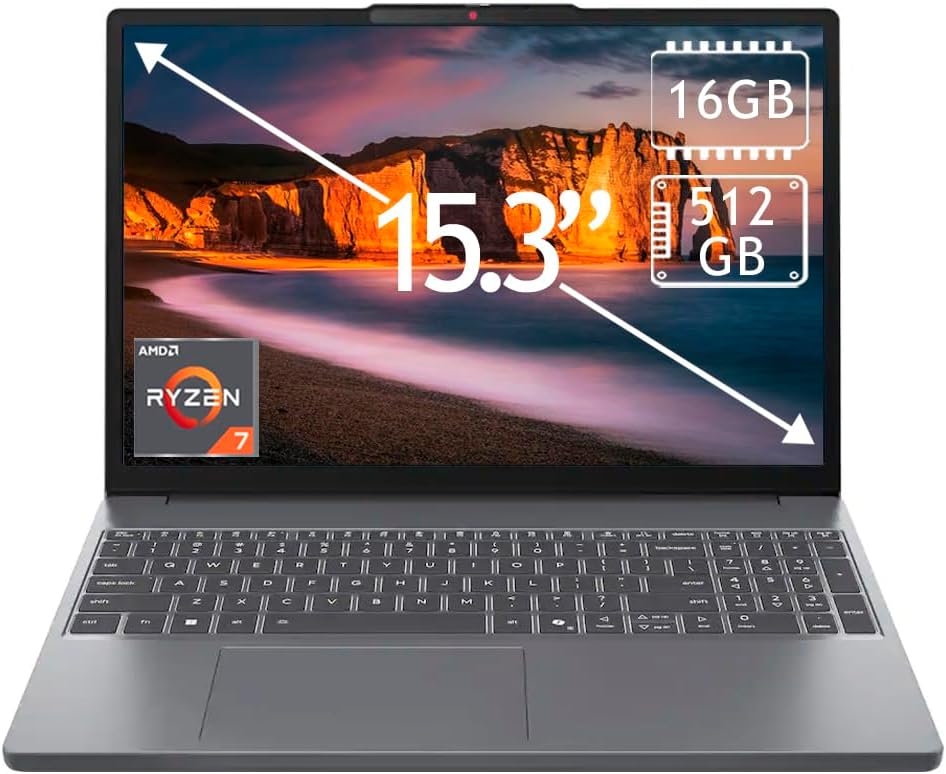
Powered by AMD Ryzen 7 it handles daily tasks efficiently while the 16GB RAM supports smooth multitasking. It is a strong performer for general users needing a responsive touch interface.
While it lacks WiFi 7 it still provides reliable connectivity through WiFi 6 for most home networks. The design is modern and the screen is a key differentiator for interaction.
This laptop is best for those who prefer touch input for navigation and note taking. It offers a compelling alternative for users who want more visual clarity on a mid-range budget.
The 2K resolution ensures that text and images appear crisp on the screen. This enhances productivity and entertainment compared to standard FHD panels.
The touch interface allows for intuitive navigation through Windows 11. It is useful for pinch zoom and dragging items across the desktop easily.
We may earn a commission when you buy through this link, at no additional cost to you.
The HP 15.6 FHD Touchscreen delivers high specifications like 32GB RAM and 1TB SSD at a competitive price. It is a robust machine for users who need local storage capacity.
We may earn a commission when you buy through this link, at no additional cost to you.
The AMD Ryzen 7 processor provides enough power for heavy multitasking and general work. While it lacks the newest WiFi 7 standard it supports reliable connections for home and office use.
Its design is functional rather than premium with standard ports for peripherals. The large screen and touch capability make it a good choice for media consumption and basic editing.
If you need a budget friendly machine with max RAM and storage this is the one. It prioritizes internal resources over wireless tech and build materials for better value.
With 32GB RAM you can run multiple virtual machines or apps simultaneously. This is rare at this price point and aids in heavy workflows.
The 1TB SSD allows you to store large files and media locally. This reduces reliance on cloud storage and speeds up file access times.
We may earn a commission when you buy through this link, at no additional cost to you.
The Acer Aspire Go 15 is a straightforward choice for basic computing needs. It offers a clean design with enough power for browsing and document creation at a low cost.
We may earn a commission when you buy through this link, at no additional cost to you.
With 16GB RAM it handles standard applications smoothly without slowdowns. The 15.6 inch screen provides a comfortable viewing area for general tasks and entertainment.
While it uses older WiFi standards it remains a solid option for users not needing cutting edge speeds. Its lightweight build makes it easy to carry around for school or work.
This model is best for students or households needing a secondary computer. It focuses on essential features and price rather than high-end specs or premium materials.
The slim and light chassis makes this laptop easy to transport daily. It is a good choice for commuters or students moving between classes.
It includes all the basic ports and connectivity needed for daily tasks. This simplicity ensures you do not pay for features you will not use.
We may earn a commission when you buy through this link, at no additional cost to you.
The Acer Aspire Go 15 AI Ready Laptop brings AI tools to a budget-friendly package. It is designed for everyday tasks with a focus on usability and value for new buyers.
We may earn a commission when you buy through this link, at no additional cost to you.
Its Gen4 SSD ensures quick boot times and file access which is a highlight for this class of machine. The IPS display provides decent color and viewing angles for the price.
While it uses DDR4 RAM and older WiFi it still offers enough speed for most users. It is a practical device for those who need reliable computing without high-end features.
If you are on a tight budget this model offers good value. It serves well as a home office machine for general productivity and web browsing needs.
This laptop includes AI features like Copilot to assist with daily tasks. It helps automate routine processes to improve overall productivity for users.
The PCIe Gen4 SSD provides faster data transfer speeds than older models. This results in quicker application launches and system responsiveness.
We may earn a commission when you buy through this link, at no additional cost to you.
Selecting the right laptop requires balancing performance needs with portability and connectivity features.
When looking for a laptop with WiFi 7 ensure it explicitly lists the feature in specs. This new standard offers significantly faster speeds and lower latency than previous versions.
Always verify the wireless adapter supports 7 before purchasing to avoid compatibility issues.
Choose a processor that matches your workload like Ryzen or Core Ultra for AI tasks. Pair it with at least 16GB RAM for smooth multitasking in 2026.
Higher RAM ensures the system remains responsive as software demands increase over time.
Prioritize IPS or OLED screens for better color accuracy and viewing angles. Resolution should be at least FHD but WUXGA or 2K is better for productivity.
A high quality display reduces eye strain during long work sessions.
Look for models claiming at least 10 hours of real-world battery life. Portable work is useless if you are tethered to a charger constantly.
Check reviews for actual battery performance not just manufacturer claims.
Ensure the laptop has enough ports for your needs like HDMI USB-C and USB-A. Thunderbolt 4 is a bonus for fast data transfer and docking.
Limited ports may require you to carry adapters which adds bulk to your bag.
Select a model with at least 512GB SSD storage for comfort and speed. NVMe drives are standard now and offer much faster performance than HDDs.
Large storage allows you to keep files locally without relying on cloud sync.
Aluminum chassis typically offer better durability than plastic shells. A sturdy build ensures the device withstands travel and daily wear.
Premium materials also improve thermal dissipation and keyboard typing comfort.
Decide between Windows and macOS based on your software requirements. Windows offers wider hardware compatibility while macOS focuses on ecosystem integration.
Ensure the OS supports AI features if that is a priority for your workflow.
To maximize WiFi 7 performance place your router in an open central location away from metal objects. This ensures the strongest signal reaches your laptop for fastest speeds.
Keep your device clean by wiping the screen and keyboard with a microfiber cloth regularly. Dust buildup can trap heat and lead to performance throttling.
Update your firmware and drivers frequently to maintain security and compatibility. Software updates often include patches that improve battery life and wireless stability.
WiFi 7 provides significantly higher bandwidth and lower latency compared to previous standards. This allows for smoother 4K streaming and faster file transfers without dropouts.
Yes to fully utilize the speed of WiFi 7 you need a compatible router. Older routers will limit your connection to their maximum supported speed regardless of the laptop.
Yes most of these models have capable GPUs for light gaming and general use. For heavy titles check specific GPU models listed in the product data.
Intel Core Ultra and Apple M5 processors have dedicated NPUs for AI acceleration. These chips handle machine learning tasks more efficiently than standard CPUs.
Lower your screen brightness and disable unused Bluetooth connections to save power. Also close background apps that you are not actively using to reduce strain.
Many modern laptops have soldered RAM that cannot be upgraded. Check the specific model specs to confirm if upgrades are possible before purchase.
macOS is often preferred for creative professionals due to color accuracy and ecosystem. However Windows laptops offer more hardware diversity for specific needs.
With proper care these devices can last 4 to 5 years. Regular software updates and physical protection will help maintain performance over time.
Our top picks highlight the best balance of speed performance and value for today's users. The HP OmniBook 7 offers the best overall package while the MacBook Air leads in premium quality.
Focus on your primary use case such as productivity or media consumption when making your final choice. Ensure the device meets your specific needs for connectivity and power.
Remember that prices and stock levels change frequently so check current offers before buying. Use our comparison table to weigh the features against your budget needs.