
HP 17 inch Business Laptop Computer
4.5Editor score
16GB RAM Capacity
17.3 Inch Display
Windows 11 Preloaded
Finding the right laptop for Enscape requires balancing powerful rendering capabilities with portability and display accuracy. This guide helps you navigate the options available in the current market to find a machine that supports your design needs effectively.
We evaluated ten top-rated laptops based on processor speed, graphics performance, memory capacity, and screen quality. Our analysis focuses on how well each device handles real-time rendering tasks typical in architectural visualization and 3D modeling projects.
Each product pick includes detailed specifications and real-world usage insights to help you make an informed decision. Please note that prices and availability can change frequently, so check the current listings before making your final purchase decision.
4.5Editor score

4.1Editor score

4.5Editor score
As an Amazon Associate we earn from qualifying purchases.
The following table provides a side-by-side comparison of all ten selected laptops. This overview highlights key specifications to help you quickly identify which model aligns best with your specific rendering and productivity requirements.






This HP OmniBook delivers a unique combination of AI capabilities and display quality suitable for design professionals. With a 2K OLED screen and long battery life it supports mobile workflow needs effectively.
We may earn a commission when you buy through this link, at no additional cost to you.
The Snapdragon processor provides efficient performance for everyday tasks and light rendering work. The OLED display ensures color accuracy which is critical for viewing architectural details and materials in Enscape.
While the SSD is smaller than some competitors the fast NVMe speed helps with application loading. Battery life is exceptional allowing users to work unplugged for extended periods without performance drops.
Ideal for designers who need mobility and high quality visuals on the go. Check current availability to ensure software compatibility with your specific rendering plugins before purchasing.
The 2K OLED display offers rich colors and high contrast making it easier to judge materials and lighting in real time rendering.
Up to 41 hours of battery life ensures you can work through long meetings or site visits without needing a power outlet.
We may earn a commission when you buy through this link, at no additional cost to you.
This laptop offers excellent value for those needing a large workspace without breaking the bank. The 17.3 inch screen provides ample room for multitasking while drafting or reviewing models.
We may earn a commission when you buy through this link, at no additional cost to you.
With 16GB of RAM and a capable AMD processor it handles standard design tasks smoothly. The inclusion of Office 365 for Web adds immediate productivity value right out of the box.
The numeric keypad is a useful feature for data entry and precise modeling inputs. While not a heavy gaming machine it is sufficient for rendering tasks that do not require discrete graphics.
Perfect for students or small studios looking for a reliable workstation on a budget. The screen size makes it ideal for desktop use rather than frequent travel.
The 17.3 inch display allows you to keep reference images and toolbars visible simultaneously without constant window switching.
Priced competitively this model delivers essential specs like 16GB RAM which are often expensive in higher end models.
We may earn a commission when you buy through this link, at no additional cost to you.
This larger HP model combines premium build quality with a spacious screen for comfortable viewing. The IPS panel ensures wide viewing angles which is helpful during client presentations.
We may earn a commission when you buy through this link, at no additional cost to you.
The 512GB SSD provides ample space for project files and applications. While 8GB RAM is standard it may require upgrades for heavier rendering workloads in complex 3D environments.
Features like AI noise reduction and fast charging add to the professional experience. The laptop remains portable despite the larger screen size thanks to its slim profile.
Best suited for users who prioritize screen real estate and build quality. Consider upgrading RAM if you plan to run multiple heavy applications simultaneously.
The Mica Silver finish and slim bezels give this laptop a professional look suitable for client-facing meetings.
A 17.3 inch screen reduces eye strain during long working sessions and allows for better visibility of detailed textures.
We may earn a commission when you buy through this link, at no additional cost to you.
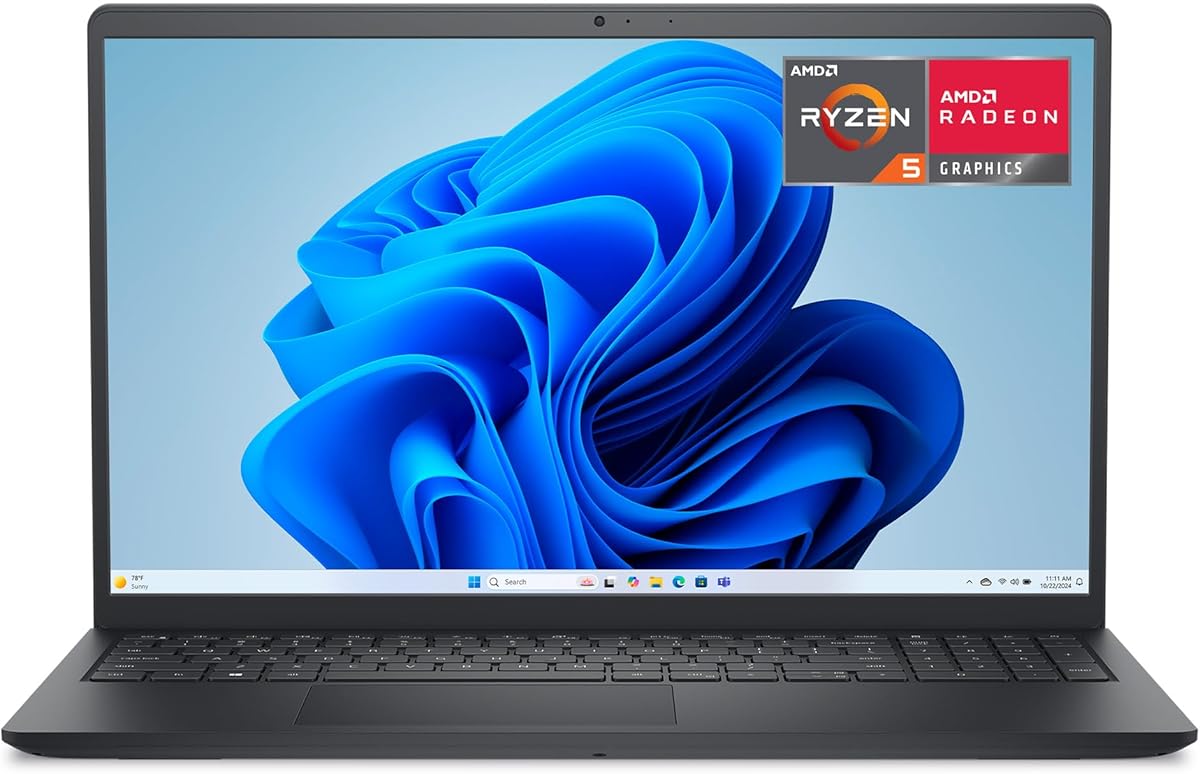
This model is designed to offer robust performance for general computing and light design tasks. The Ryzen 7 processor supports smooth multitasking across multiple windows and applications.
We may earn a commission when you buy through this link, at no additional cost to you.
With 16GB RAM and a NVMe SSD application loading times are reduced significantly. The various ports including HDMI and Type-C make it easy to connect external monitors for expanded workspace.
While it uses integrated graphics it handles everyday visual tasks well. The WiFi 6 connectivity ensures stable and fast internet speeds for downloading large project files.
A solid choice for those needing a reliable machine for daily work. Its durability and port selection make it versatile for different office environments.
Multiple ports allow you to connect peripherals like mice and external drives without needing dongles.
The high frequency processor ensures that background tasks do not slow down your active design work.
We may earn a commission when you buy through this link, at no additional cost to you.
This compact laptop is ideal for users who prioritize portability above raw power. The 14 inch form factor makes it easy to slip into a bag for daily commutes.
We may earn a commission when you buy through this link, at no additional cost to you.
It includes a year of Office 365 which helps with administrative tasks and documentation. The camera features noise reduction for clearer communication during virtual meetings.
While storage and memory are modest it handles basic web browsing and document editing well. The anti-glare display helps reduce eye strain in bright environments.
Best for administrative staff or students who need a lightweight device for notes and light work. Not recommended for heavy rendering tasks due to hardware limitations.
The small size and light weight make it perfect for carrying to meetings or libraries.
Integrated dual microphones and AI noise reduction ensure your voice is clear during online presentations.
We may earn a commission when you buy through this link, at no additional cost to you.
This business laptop offers a professional operating system and solid performance for office tasks. The inclusion of Windows 11 Pro provides enhanced security and management features.
We may earn a commission when you buy through this link, at no additional cost to you.
The processor handles multitasking efficiently allowing you to run design software alongside communication tools. The physical numeric keypad is helpful for entering data quickly without external peripherals.
Ethernet support via RJ45 ensures a stable connection when WiFi is unavailable or unstable. The display quality is clear enough for detailed work in daylight conditions.
Ideal for corporate environments or home offices requiring reliability. It balances performance and functionality well for standard professional workflows.
Windows 11 Pro offers better security and remote access options suitable for business use.
The numeric keypad speeds up workflow for tasks involving frequent number entry or calculations.
We may earn a commission when you buy through this link, at no additional cost to you.
This model stands out for its exceptional storage and memory configuration. It is ideal for professionals who manage large project files and require significant local space.
We may earn a commission when you buy through this link, at no additional cost to you.
The 32GB RAM ensures smooth operation even with memory intensive applications. The bundled portable SSD adds extra security for backing up critical design files.
The screen provides vivid visuals and bright output suitable for various lighting conditions. Windows 11 Pro offers enterprise level features for better system management.
Best for users who work primarily at a desk and need maximum storage. The large size makes it less portable for travel but excellent for fixed workstations.
With over 1.5TB available you can store years of project history without worrying about running out of space.
32GB RAM allows for running multiple heavy apps simultaneously without performance degradation.
We may earn a commission when you buy through this link, at no additional cost to you.
This laptop features a high resolution touchscreen which allows for intuitive interaction. The 2K display offers sharp text and images for detailed viewing.
We may earn a commission when you buy through this link, at no additional cost to you.
Battery life is a strong point allowing for several hours of unplugged work. The AI noise reduction technology helps maintain clear audio during collaborative sessions.
The Copilot key provides quick access to AI tools for content creation. However storage is limited which might require cloud solutions for large datasets.
Great for users who value touch interaction and screen clarity. Consider external storage if you have many large project files.
The touchscreen allows for direct manipulation of models and easier navigation through menus.
Copilot key integration streamlines workflow by providing instant access to productivity tools.
We may earn a commission when you buy through this link, at no additional cost to you.
Dell focuses on comfort with this model featuring raised hinges for better typing posture. The keypad is separate which helps with data entry efficiency.
We may earn a commission when you buy through this link, at no additional cost to you.
The integrated GPU is suitable for everyday tasks and light rendering. Thermal management is adaptive keeping the device cool during prolonged use.
Onsite service adds value for businesses needing reliable support. The design is sleek and fits well in professional settings.
Best for general office work and light creative tasks. Consider external peripherals if more ports are required.
The ergonomic hinge angle reduces wrist strain during long typing sessions.
Onsite warranty ensures quick resolution of hardware issues without shipping delays.
We may earn a commission when you buy through this link, at no additional cost to you.
This laptop offers a large screen with high resolution for detailed viewing. The processor is powerful enough for demanding tasks including multitasking.
We may earn a commission when you buy through this link, at no additional cost to you.
ComfortView Plus reduces blue light helping to prevent eye fatigue during long workdays. The camera features wide dynamic range for clear video calls.
Onsite service provides peace of mind for business users. The 16:10 aspect ratio gives more vertical space for document work.
Ideal for users needing a large workspace and strong performance. It balances visual comfort and processing power well.
Blue light reduction features help maintain eye health during extended screen time.
The 16:10 aspect ratio provides extra vertical space which is useful for coding or writing.
We may earn a commission when you buy through this link, at no additional cost to you.
Selecting the right laptop for Enscape involves evaluating several key hardware components that directly impact rendering speed and visual quality.
The CPU is critical for handling complex calculations during rendering. Look for modern multi-core processors from Intel or AMD that support high clock speeds.
A strong processor ensures that your software runs smoothly without lag during design edits.
While integrated graphics can handle light work, dedicated GPUs offer better performance for real-time rendering. Check for compatible drivers and sufficient VRAM for your projects.
If you work with high-resolution textures ensure the graphics unit supports your rendering engine requirements.
RAM determines how many applications you can run simultaneously. For Enscape workflows, 16GB is a recommended minimum to prevent slowdowns.
More memory allows for larger files to be opened and edited without system interruptions.
Solid State Drives significantly reduce boot and load times. Aim for NVMe SSDs with enough space to store your active project files locally.
Fast storage ensures that assets load quickly into your rendering environment.
A high-resolution screen is essential for accurate color and detail viewing. Look for panels with good color accuracy and brightness levels.
OLED or IPS displays provide better contrast and viewing angles for architectural visualization.
Portability often requires reliable battery performance. If you work on the go, check the estimated runtime during intensive use.
Long battery life ensures you can work without constant access to power outlets.
Sufficient ports for peripherals and external displays are necessary for flexible workflows. Ensure the model has USB, HDMI, or Type-C options.
Connectivity allows you to expand your workspace with additional monitors or storage.
Durability matters for devices used daily in various environments. Look for sturdy construction and reliable hinge designs.
A well-built laptop will withstand travel and frequent use over time.
Ensure your operating system and graphics drivers are updated regularly to maintain compatibility with Enscape. Keeping software current helps prevent crashes and improves rendering efficiency.
Clean the screen and keyboard regularly using a soft cloth to prevent dust accumulation. Avoid using harsh chemicals that could damage the display coating.
Store your laptop in a protective case when transporting it to avoid physical damage. Keep it in a cool, dry place to prevent overheating and moisture damage.
While integrated graphics can work for basic tasks, a dedicated card is recommended for smoother performance. It handles complex textures and lighting better. Check your specific model requirements before purchasing.
At least 16GB of RAM is recommended for most 3D modeling tasks. More memory helps when working with large scenes or running multiple applications simultaneously without slowdowns.
These selected laptops run Windows 11 which is natively supported by Enscape. macOS is also supported but the hardware in this list is optimized for Windows environments.
A larger screen allows you to see more detail and have multiple tools visible at once. It reduces eye strain and makes it easier to judge scale and proportion.
Reduce screen brightness and close unused applications to save power. Enable power-saving modes when working on battery to extend runtime during long sessions.
Yes, SSDs provide much faster data access and boot times. They are more durable and help with smoother loading of large design files compared to mechanical drives.
Look for coverage that includes accidental damage and onsite service. Extended warranty plans can save money if repairs are needed in the future.
Portability depends on your workflow. If you work on site or travel often, weight and size matter more. If you stay at a desk, screen size and power take priority.
We have reviewed ten diverse laptops that offer varying balances of performance, display, and portability for Enscape users. The HP OmniBook series and HP business models stand out for their combination of features.
Prioritize your needs whether it is screen size, battery life, or raw processing power. The right choice depends on whether you work primarily on the go or at a fixed desk.
Always verify current prices and availability before purchasing to ensure you get the best deal. Check for student discounts or business offers that may apply to your purchase.