
HP LaserJet Enterprise MFP M634z
Up to 55ppm monochrome speed
2300-sheet total paper capacity
Industry-leading embedded security
This guide compares the top 10 laser printers for large workgroups, evaluating speed, capacity, security, and cost-efficiency for demanding office environments.
Finding the right laser printer for large workgroups requires balancing speed, capacity, and security features. Teams need devices that handle high volumes without slowing down daily operations or compromising sensitive data integrity during transmission.
We analyzed ten top-rated models based on print speeds, paper handling capabilities, and enterprise-level security protocols. Each selection offers unique advantages tailored to mid-sized offices or large enterprises needing reliable, high-throughput printing solutions.
Each pick highlights key specs, pros, and cons to help you choose confidently. Prices and availability fluctuate often, so verify current details on the product pages before finalizing your purchase decision for your specific office setup.

4.4Editor score

4.1Editor score
The following table compares key specifications across all ten selected models to help you quickly identify which device aligns best with your workgroup's specific throughput and security needs.


The Brother MFC-L8930CDW stands out as a top color laser all-in-one for busy workgroups needing reliable high-quality output. With a 4.4 rating and up to 33 pages per minute print speed, it ensures fast document production without sacrificing sharpness in color or black text.
We may earn a commission when you buy through this link, at no additional cost to you.
Its scanning capabilities are particularly robust, featuring an 80-page auto document feeder and single-pass two-sided scanning speeds up to 104 ipm. This efficiency allows teams to process large batches of contracts or reports quickly while creating searchable Microsoft Office documents directly from the touchscreen interface.
While the device offers excellent value through included standard yield toners, ongoing costs for color replacement cartridges can be significant if not managed with high-yield options. Additionally, the initial network configuration might require patience for users unfamiliar with dual-band wireless setup or NFC card integration.
This printer is ideal for mid-sized departments requiring frequent color prints and secure access controls. If your team prioritizes speed and document security alongside professional color output, the MFC-L8930CDW remains a highly recommended choice for modern office environments.
The touchscreen interface supports up to 64 customized shortcuts allowing frequent tasks like scan-to-email to be executed with minimal steps reducing daily workflow friction.
Integrated Triple Layer Security and an NFC card reader ensure only authorized personnel can access printing functions protecting sensitive corporate data during transmission and physical use.
We may earn a commission when you buy through this link, at no additional cost to you.
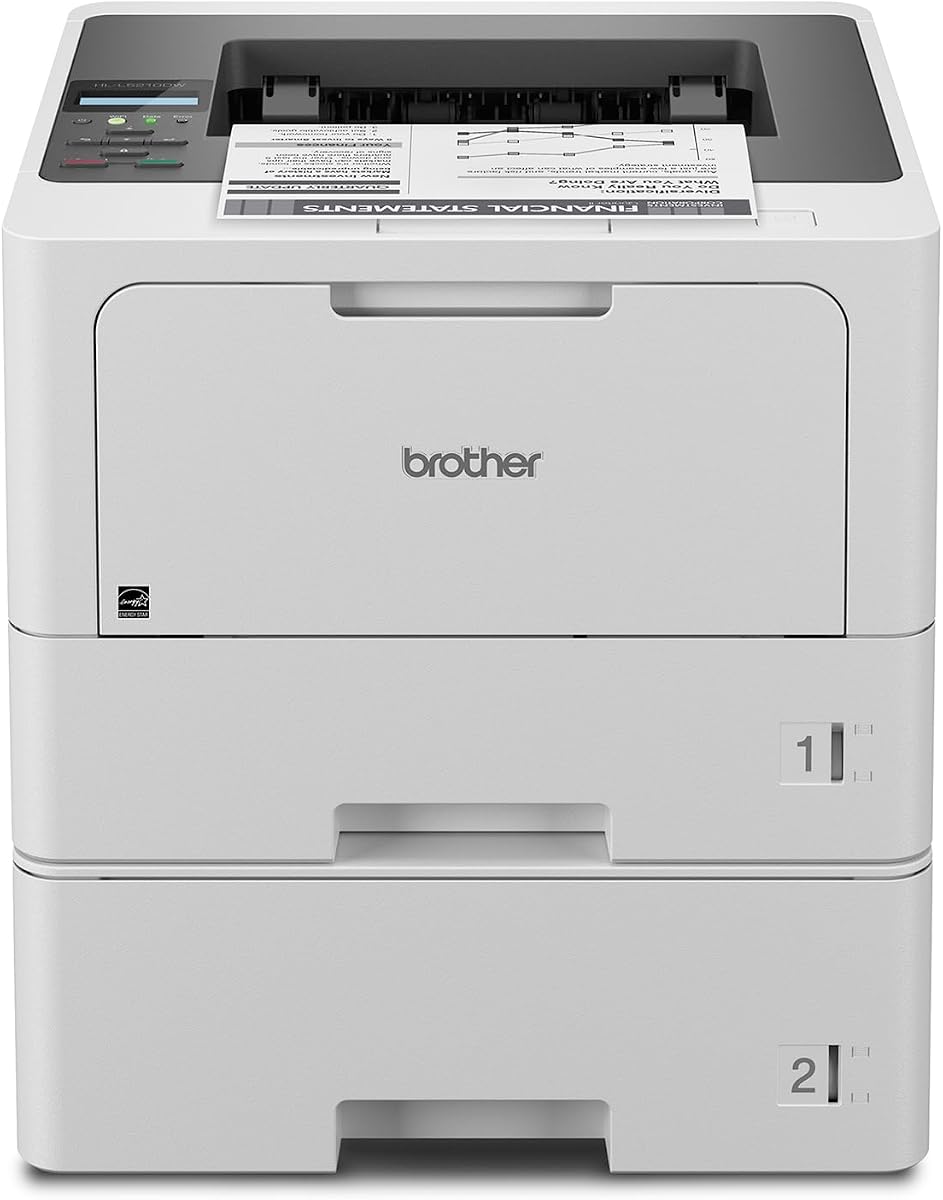
The Brother HL-L5210DWT delivers exceptional speed and reliability for workgroups focused solely on high-volume monochrome printing. With a rating of 4.3 and speeds up to 48 pages per minute, it ensures that document backlogs are cleared quickly supporting productivity in demanding office settings.
We may earn a commission when you buy through this link, at no additional cost to you.
Its dual paper tray design includes a 250-sheet and a 520-sheet tray, expandable up to 1,390 sheets total. This massive capacity minimizes interruptions caused by refilling paper allowing teams to focus on core tasks without constant printer maintenance or monitoring.
While it lacks multifunction capabilities like scanning, the dedicated focus on printing efficiency makes it a robust choice for centralized print stations. Users should note the larger physical size compared to smaller models, which requires adequate desk or floor space in the office layout.
Ideal for departments needing rapid text document output, this printer balances speed and cost-efficiency well. If your workgroup requires dependable high-speed printing without multifunction needs, the HL-L5210DWT provides the throughput and capacity necessary for daily operations.
The expansive paper capacity and dual trays mean less frequent refilling reducing printer interruptions and allowing staff to maintain uninterrupted focus on their primary work responsibilities.
Built-in wireless networking and mobile printing support enable employees to send documents from phones or tablets seamlessly integrating modern mobile workflows into your office network.
We may earn a commission when you buy through this link, at no additional cost to you.
The HP LaserJet Enterprise M406dn offers a secure and efficient solution for workgroups prioritizing data protection and speed. With a 4.4 rating and speeds up to 42 pages per minute, it ensures reliable performance for entry-level enterprise needs while maintaining strict security protocols.
We may earn a commission when you buy through this link, at no additional cost to you.
Security is a major focus with HP Wolf Enterprise Security providing multiple layers of defense to detect and heal from malware attacks. This proactive approach protects your network and sensitive documents ensuring that printing activities do not become vulnerability points for cyber threats.
While the 2.7-inch color display allows direct printing and basic management, it lacks the advanced navigation of larger touchscreens. Additionally, the inclusion of Ethernet only means wireless connectivity may require optional hardware or specific network configurations for mobile users.
This model suits organizations needing robust security and speed without excessive costs. If your team values data protection and straightforward management in a compact device, the M406dn delivers essential enterprise features effectively for daily business tasks.
HP Wolf Security actively monitors for vulnerabilities self-healing from malware attacks to ensure your printer remains a secure endpoint within your corporate network environment.
FutureSmart firmware updates allow the device to receive new features and optimizations over time protecting your investment and keeping performance current with evolving business requirements.
We may earn a commission when you buy through this link, at no additional cost to you.
The Brother MFC-L6810DW is designed for large workgroups needing enterprise-grade throughput and multifunction capabilities. With a rating of 4.1 and print speeds up to 52 pages per minute, it handles high volumes efficiently ensuring that busy teams never face bottlenecks in document processing.
We may earn a commission when you buy through this link, at no additional cost to you.
Its scanning capabilities are exceptional, offering single-pass two-sided scanning up to 200 ipm with an 80-page auto document feeder. This speed significantly reduces the time required to digitize large archives or contracts while supporting direct scanning to cloud services from the 7-inch touchscreen.
Although highly capable, the initial investment is higher than standard models and the sheer number of features may require training for optimal use. Voice control via Alexa adds convenience but may not be utilized by all users depending on office habits and workflow preferences.
This printer is best suited for enterprises requiring maximum speed and multifunction efficiency. If your workgroup demands fast scanning and printing with robust management tools the MFC-L6810DW delivers the power and flexibility needed for demanding operational environments.
Compatibility with Alexa allows users to initiate basic printing tasks using voice commands streamlining access and reducing steps for hands-free operations during busy workdays.
Optional trays allow total paper capacity to reach 1660 sheets ensuring that even the largest print jobs can be completed without frequent refilling or user intervention.
We may earn a commission when you buy through this link, at no additional cost to you.
The Brother HL-6210DW offers a strong balance of speed and cost-efficiency for workgroups needing dedicated monochrome printing. With a 4.1 rating and speeds up to 50 pages per minute, it ensures that high-volume jobs are completed quickly supporting productivity across various business applications.
We may earn a commission when you buy through this link, at no additional cost to you.
Security and capacity are key highlights with Triple Layer Security protecting your network and a 520-sheet main tray reducing refilling frequency. Optional trays expand capacity further to 1,660 sheets ensuring that the device can handle continuous heavy-duty printing without constant monitoring.
While it lacks multifunction features like scanning the dedicated focus on printing speed and reliability makes it ideal for centralized print stations. Users may find connectivity options somewhat limited compared to multifunction models but wireless and Gigabit Ethernet provide ample flexibility for most office networks.
This printer suits departments prioritizing speed and operational security over multifunctionality. If your team needs reliable high-speed text output without extra features the HL-6210DW provides the value and performance necessary for efficient daily business tasks.
Support for ultra high-yield replacement toner cartridges significantly reduces cost per page allowing organizations to maintain high-volume output without straining printing budgets over time.
Advanced Triple Layer Security safeguards documents during transit ensuring that sensitive information remains protected from unauthorized access or interception across wired and wireless networks.
We may earn a commission when you buy through this link, at no additional cost to you.
The Brother MFC-L5915DW delivers a balanced mix of speed and versatility for mid-sized workgroups. With a 4.3 rating and print speeds up to 50 pages per minute, it ensures that documents are produced quickly while supporting essential scanning and copying tasks in a single device.
We may earn a commission when you buy through this link, at no additional cost to you.
Scanning is efficient with a 70-page auto document feeder offering single-pass two-sided scanning up to 56 ipm. This feature helps teams digitize documents rapidly while the flexible connectivity options including Gigabit Ethernet and dual-band wireless ensure seamless integration into any office network environment.
While the touchscreen is functional it lacks the advanced customization found on premium models. Additionally, the ADF capacity is lower than enterprise options which may require batch processing for very large document sets but this is often acceptable for standard office workflows.
This printer is ideal for teams needing reliable multifunction capabilities without excessive cost. If your workgroup requires fast printing and scanning in a compact and efficient device the MFC-L5915DW provides the necessary tools for consistent daily performance.
Dual-band wireless support ensures stable and fast connections allowing mobile devices to print securely without interrupting primary wired network performance for critical business applications.
Compatible with high-yield replacement cartridges the device helps maintain low operating costs ensuring that high-volume printing remains affordable for budget-conscious departments.
We may earn a commission when you buy through this link, at no additional cost to you.
The HP LaserJet Enterprise M507n focuses on robust security and management for growing businesses. With a 4.0 rating and built-in Ethernet, it ensures reliable connectivity while prioritizing protection with over 200 embedded security features that defend against malware and unauthorized access effectively.
We may earn a commission when you buy through this link, at no additional cost to you.
Management efficiency is enhanced through HP Web JetAdmin and JetAdvantage Security Manager allowing administrators to update policies and security settings across devices easily. This centralized control helps maintain compliance and operational consistency across multiple office locations or departments.
While wireless printing is optional this model relies primarily on wired connections which may limit flexibility for mobile users. However, the reliability and security of wired Ethernet make it a solid choice for secure office environments where network stability is paramount.
This printer is best suited for organizations prioritizing data protection and centralized control. If your team requires strong security protocols and easy fleet management the M507n delivers the enterprise-grade capabilities necessary for safe and efficient printing operations.
HP JetAdvantage Security Manager allows admins to define and enforce security policies across all printers ensuring consistent protection and reducing vulnerabilities in distributed network environments.
Optional extra high-yield toner cartridges reduce waste and costs ensuring that high-volume printing needs are met economically without frequent cartridge changes or supply interruptions.
We may earn a commission when you buy through this link, at no additional cost to you.
The HP LaserJet Enterprise MFP M634z represents the pinnacle of enterprise monochrome printing. While it lacks a rating value due to limited user reviews, its specs show up to 55 pages per minute speed and a massive 2300-sheet capacity designed for the most demanding high-volume environments.
We may earn a commission when you buy through this link, at no additional cost to you.
Workflow efficiency is unmatched with features like a 150-page auto-document feeder for single-pass two-sided scanning and a 3-bin stapler/stacker. The large 9-inch color touchscreen simplifies complex tasks allowing staff to manage and finish documents professionally without manual intervention or assistance.
The premium price and large size mean this device is best for centralized print hubs rather than individual desks. Security remains a priority with deep embedded features protecting data against advanced cyber threats ensuring that sensitive corporate information remains safe during every operation.
This printer is ideal for large enterprises needing maximum throughput and professional finishing. If your team requires enterprise-level performance with advanced workflow automation the M634z provides the robust capabilities needed for high-demand business operations.
Integrated finishing features like stapling and stacking reduce manual post-processing time allowing staff to focus on core tasks while documents are prepared for distribution automatically.
The 9-inch color display simplifies navigation and document management ensuring that complex tasks are easy to complete for all users regardless of technical proficiency or training level.
We may earn a commission when you buy through this link, at no additional cost to you.
The Brother HL-L8430CDWT earns a high 4.6 rating for reliable color printing in busy offices. With speeds up to 33 pages per minute, it delivers sharp color and black output ensuring that marketing materials and reports look professional while maintaining efficient daily productivity levels.
We may earn a commission when you buy through this link, at no additional cost to you.
Flexibility is enhanced through dual paper trays totaling 770 sheets standard and expandable to 1,340 sheets. This setup supports mixed media and reduced refills while integrated NFC card readers provide secure access ensuring that color printing is available only to authorized personnel within the workgroup.
While it lacks multifunction capabilities like scanning the dedicated focus on color printing ensures high quality without compromise. Operating costs for color toner are higher than monochrome but high-yield options help manage expenses for organizations that require vibrant color regularly.
This printer suits departments requiring frequent, high-quality color output. If your team needs reliable color printing with strong security features the HL-L8430CDWT provides the consistency and performance necessary for professional presentation and efficient daily operations.
Integrated NFC card readers ensure that only authorized users can release color print jobs protecting sensitive documents and reducing unauthorized usage of expensive color toner resources.
Energy Star certification and EPEAT Gold rating reflect a commitment to sustainability ensuring that the device minimizes environmental impact while maintaining high performance levels for daily use.
We may earn a commission when you buy through this link, at no additional cost to you.
The Brother HL-L6310DW offers fast and efficient monochrome printing for mid to large-sized workgroups. With a 4.2 rating and speeds up to 52 pages per minute, it ensures high-volume jobs are completed quickly supporting productivity without frequent interruptions or maintenance requirements in busy offices.
We may earn a commission when you buy through this link, at no additional cost to you.
Security and management are prioritized with Triple Layer Security and device management solutions allowing IT teams to configure updates remotely. Voice control via Alexa adds modern convenience enabling users to initiate tasks hands-free while integrated NFC card readers ensure secure access to sensitive documents.
While it lacks multifunction capabilities like scanning the robust printing speed and expandable paper capacity make it ideal for high-demand text environments. The device is designed for floor-standing setups allowing it to integrate seamlessly into large office layouts without taking up valuable desk space.
This printer suits enterprises needing high-speed monochrome output with easy management. If your team values efficiency security and modern integration options the HL-L6310DW provides the performance and flexibility required for streamlined daily business printing.
Alexa compatibility allows users to start printing using voice commands reducing steps in the workflow and enhancing accessibility for users with different preferences or needs.
Built-in device management solutions enable IT teams to push updates and security settings remotely ensuring consistent protection across fleets without on-site intervention or manual setup.
We may earn a commission when you buy through this link, at no additional cost to you.
Selecting the right laser printer involves evaluating speed, capacity, security, and cost-efficiency to match your workgroup's unique operational demands and long-term business goals effectively.
For large workgroups, print speed measured in pages per minute (ppm) directly impacts daily workflow. Look for models offering at least 40ppm for monochrome and 30ppm for color to ensure documents are produced rapidly without bottlenecks during peak hours. High-speed devices reduce waiting times allowing teams to focus on core tasks rather than managing printer queues or refills.
Prioritize models with high ppm ratings to maintain productivity. Faster printing ensures that urgent documents are ready immediately supporting a dynamic office environment where time efficiency is critical for success.
Large workgroups require substantial paper capacity to avoid constant refilling interruptions. Seek printers with dual trays or expandable options reaching 1000 sheets or more. Some enterprise models support up to 2000 sheets allowing uninterrupted printing for days reducing maintenance needs and increasing overall operational reliability significantly.
Ensure the printer has enough paper capacity to match your daily output. Large trays minimize downtime and allow staff to remain focused on their primary responsibilities without frequent visits to the printer.
Many offices benefit from all-in-one printers that combine printing, scanning, and copying. Models with auto document feeders (ADF) simplify digitizing large batches of documents. Single-pass scanning is especially valuable for high-volume teams needing to convert paper to digital formats quickly and efficiently.
Choose a multifunction printer if your team needs scanning. An integrated ADF reduces manual handling and speeds up the digitization process for efficient document management workflows.
Data security is vital for enterprise environments. Look for printers with Triple Layer Security, built-in firewalls, or HP Wolf Security features. Devices with NFC card readers or secure print release ensure that sensitive documents are only accessible to authorized personnel protecting confidential information from interception or unauthorized access.
Security features protect sensitive corporate data. Advanced protocols ensure your printer does not become a vulnerability point in your network infrastructure.
Flexible connectivity ensures seamless integration into existing workflows. Gigabit Ethernet provides stable wired connections while dual-band wireless supports mobile printing. Some models also offer cloud printing or voice control compatibility which modernizes the user experience and supports remote work initiatives effectively.
Ensure the printer supports both wired and wireless connections. Flexible options allow devices from phones, tablets, and laptops to connect easily improving overall team productivity and mobility.
Long-term costs depend heavily on toner yield and replacement prices. Look for printers supporting ultra high-yield toners reducing the cost per page. Some models include standard yield cartridges but planning for high-yield replacements can save significant budget over years of heavy daily use in demanding office environments.
Evaluate toner costs before buying. High-yield options reduce operational expenses and ensure that high-volume printing remains sustainable for your budget long-term.
Modern workgroups appreciate features like Alexa integration or remote device management. Voice commands simplify access for hands-free operations while IT management tools allow centralized configuration and updates. These features streamline deployment and ensure consistent security settings across all connected devices effortlessly.
Look for smart features that ease management. Voice control and remote tools simplify daily operations and help IT teams maintain consistent policies across your printer fleet.
Environmentally conscious offices should check for Energy Star or EPEAT ratings. Compact designs save desk space while low-energy modes reduce power usage. Eco-friendly materials like PCR packaging also reflect corporate responsibility goals ensuring that your technology choices align with broader sustainability initiatives within the company culture.
Check for energy ratings and size. Compact, efficient designs reduce power costs and physical clutter ensuring the printer fits well in busy office layouts.
Start by connecting your printer securely via Ethernet or Wi-Fi using the network settings menu. Install drivers on all necessary workstations to ensure compatibility and enable mobile printing features for seamless remote access across devices in your office network.
Use genuine toner cartridges to maintain print quality and protect warranty coverage. When replacing cartridges, follow the on-screen instructions precisely to avoid toner spills or jams. Keep spare cartridges on hand in your supply room to minimize downtime during busy operational periods.
Regularly clean the scanner glass and paper rollers with a lint-free cloth to prevent smudges or paper jams. Update firmware through the manufacturer’s portal to patch security vulnerabilities and access new features ensuring your device remains efficient and protected against emerging cyber threats.
Monochrome printers handle black-and-white documents efficiently and cost less to operate making them ideal for text-heavy offices. Color printers add vibrant output for marketing or reports but cost more in toner. Choose based on whether your team regularly needs colored graphics or just standard documents.
Large workgroups generally need at least 1000 sheets of paper capacity to avoid frequent refills. For high-volume environments, consider models with expandable trays reaching 2000 sheets. Higher capacity ensures uninterrupted operation especially during busy times when staff rely heavily on quick printing services.
Yes, modern enterprise laser printers include robust security features like encryption, secure print release, and malware detection. Look for models with Triple Layer Security or HP Wolf Security to protect data in transit and ensure only authorized users can access print jobs safely.
Most models support wireless and mobile printing via apps or built-in cloud features. Ensure the printer has dual-band Wi-Fi for stable connections. Some models also support voice control or NFC badges simplifying how mobile users send documents from phones or tablets.
Regularly clean rollers and scanner glass, update firmware, and replace toner before it is empty. Avoid using non-genuine cartridges to prevent jams. Perform periodic self-tests and ensure proper ventilation around the printer to maintain consistent performance over time.
Multifunction printers save space and simplify workflows by combining printing, scanning, and copying. For teams handling frequent document digitization, models with auto document feeders are valuable. However, dedicated printers offer higher speeds for pure printing needs depending on your operational priorities.
Choose higher speeds like 50ppm if your team prints hundreds of pages daily to avoid bottlenecks. Lower speeds suffice for moderate volumes. Consider how quickly documents need to be available; faster speeds reduce waiting time and keep workflows moving efficiently.
Check the printer’s security status menu for specific alerts. Ensure firmware is up to date. If needed, contact your IT administrator to verify network policies. Rebooting the device and checking physical connections may also resolve temporary issues before escalating to technical support.
The Brother MFC-L8930CDW, HP LaserJet Enterprise MFP M634z, and Brother HL-6210DW stand out as top picks for speed, enterprise capability, and cost-efficiency respectively. Each model addresses different needs ensuring that every workgroup can find a reliable solution tailored to their operational demands.
Prioritize speed and paper capacity if your team handles high volumes daily. Security features are equally important for protecting corporate data. Balancing these elements with your budget ensures long-term satisfaction and operational efficiency across your office environment without unnecessary compromises.
Prices and availability change frequently so always verify current details before purchasing. Review product pages for the latest specs and pricing to ensure your choice aligns with current needs. Proper research guarantees your team gets the best printer for large workgroups in 2026.