
ASUS ROG G700 Gaming Desktop PC
4.7Editor score
Intel Core Ultra 7 265F
32GB DDR5 RAM
RTX 5060 Graphics
This guide compares ten top ASUS Desktop PC models for performance, value, and gaming. Find the right ASUS Desktop PC for your needs today.
Selecting the right desktop computer can be challenging given the vast array of options available. ASUS offers a diverse range of systems tailored for business, home, and gaming. A good desktop balances power, efficiency, and design to meet specific user demands.
We have evaluated ten distinct ASUS Desktop PC models based on their specifications, performance capabilities, and user feedback. This list covers everything from compact business towers to high-performance gaming rigs equipped with the latest processors and graphics cards.
Each pick highlights key strengths and potential trade-offs to help you make an informed decision. Note that availability and pricing can fluctuate frequently so verify current details before purchasing your chosen system.
4.7Editor score
5.0Editor score

4.2Editor score
The following comparison table provides a side-by-side look at the key specifications of all ten ASUS Desktop PC models reviewed in this guide.


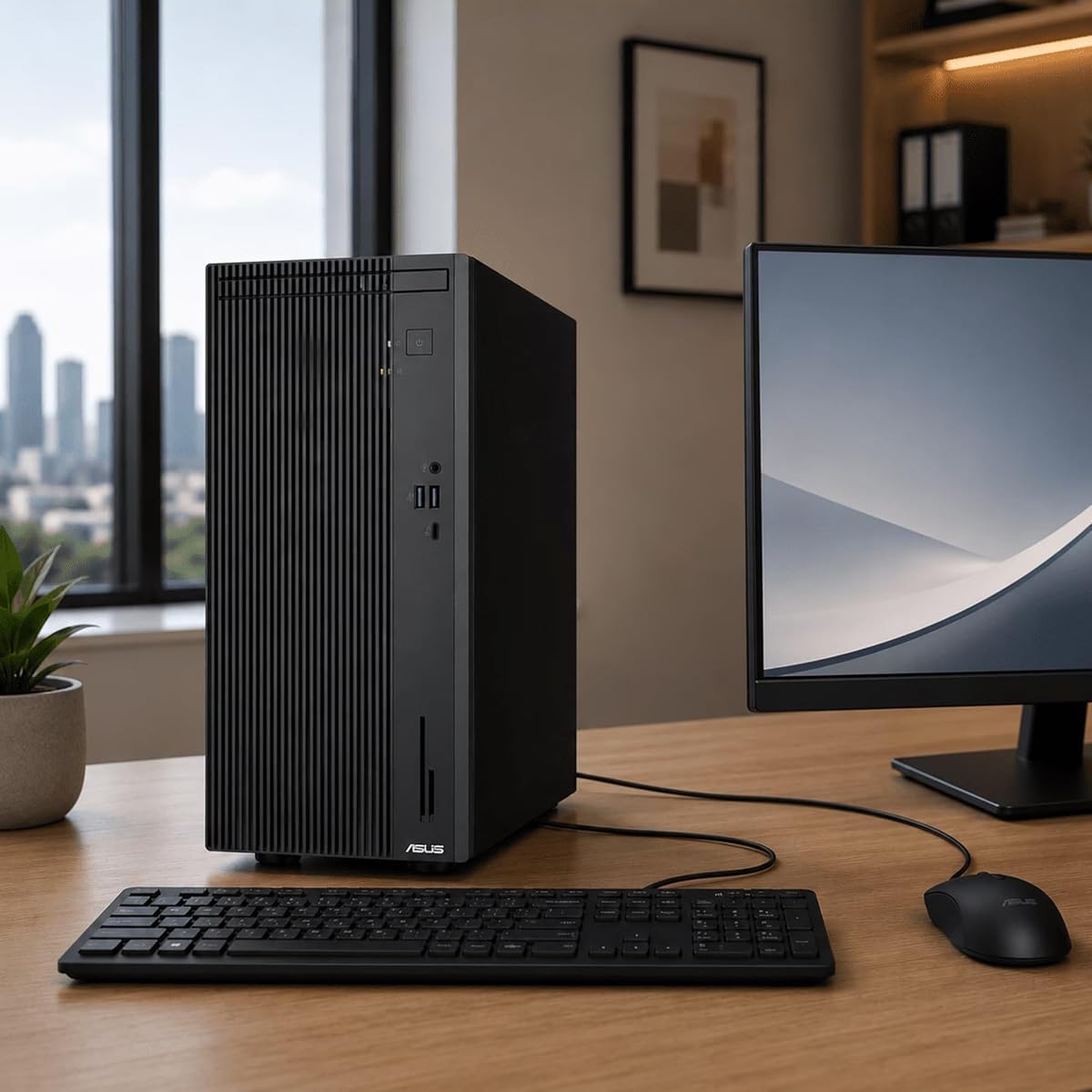
The ASUS V500 Business Tower stands out as the top choice in our lineup with a perfect rating. It delivers robust performance for both professional and creative tasks thanks to its strong processor and memory configuration.
We may earn a commission when you buy through this link, at no additional cost to you.
Its Intel Core i7-13620H processor ensures smooth multitasking while the DDR5 RAM allows for rapid data handling. The storage setup provides a balance between speed and capacity for daily operations.
While it includes an external drive for additional space the primary SSD is fast and reliable. The included peripherals add value and the connectivity supports multiple monitors for enhanced productivity.
This desktop is ideal for small businesses or power users needing reliability. Its balanced specs and high user satisfaction make it the best overall ASUS Desktop PC currently available.
The ten-core processor handles demanding workflows with ease ensuring no lag during critical work.
Users can upgrade memory and storage over time to keep the system relevant for years.
We may earn a commission when you buy through this link, at no additional cost to you.
This model offers exceptional value for gamers looking for a budget friendly system. It combines a new generation processor with generous memory to handle modern titles smoothly.
We may earn a commission when you buy through this link, at no additional cost to you.
The RTX 5060 provides solid visuals for 1080p and 1440p gaming with ray tracing capabilities. The cooling solution keeps temperatures in check during long sessions without excessive noise.
Users appreciate the included keyboard and mouse which complete the setup immediately. The protection plan adds peace of mind for the first year of ownership.
It is a smart pick for enthusiasts wanting power without breaking the bank. The balance of specs and price makes it the best budget option on this list.
The Ultra 7 processor delivers high clock speeds for both gaming and streaming applications.
Comprehensive peripherals and warranty coverage enhance the immediate usability and safety of the system.
We may earn a commission when you buy through this link, at no additional cost to you.
This desktop represents the pinnacle of gaming power in our review. It is designed for users who need the absolute best performance for competitive gaming and content creation.
We may earn a commission when you buy through this link, at no additional cost to you.
The AMD Ryzen 9800X3D processor paired with the RX 9070 XT GPU ensures top frame rates and visual fidelity. The large SSD storage means you never run out of space for games.
While it carries a premium price tag the raw power justifies the investment for serious users. It handles multi-tasking and heavy workloads without breaking a sweat.
If you want a machine that will not need upgrades for years this is the one. Its robust build and cutting edge components make it the best premium ASUS Desktop PC.
Advanced cooling and hardware deliver consistent high performance even under intense gaming loads.
The ample RAM and storage make video editing and rendering tasks significantly faster and smoother.
We may earn a commission when you buy through this link, at no additional cost to you.
The S501MER is a solid choice for general computing and office tasks. It features a very recent processor that ensures the system stays relevant for a long time.
We may earn a commission when you buy through this link, at no additional cost to you.
Wi-Fi 6E support provides incredibly fast wireless connectivity which is great for streaming and downloading. The compact size fits easily into any home or office space without taking up much room.
Integrated graphics are sufficient for media consumption but not for heavy gaming. The storage and memory are well balanced for productivity and light creative work.
This system is perfect for users needing a reliable and modern machine for daily use. Its blend of speed and design makes it a strong contender in the mid-range category.
The 14th Gen chip ensures compatibility with future software and high efficiency for tasks.
Advanced wireless standards ensure minimal latency and maximum speed for internet dependent apps.
We may earn a commission when you buy through this link, at no additional cost to you.
This system offers a versatile balance for home and office work. The high memory count allows you to keep many applications open without slowdowns or lag.
We may earn a commission when you buy through this link, at no additional cost to you.
The dual monitor support with 4K resolution is excellent for multitasking and detailed work. Connectivity includes all essential ports to connect peripherals and displays easily.
It is designed for those who value stability and efficiency over raw gaming power. The included keyboard and mouse make it ready to use immediately upon arrival.
For families or small offices needing a dependable workstation this model is ideal. Its performance characteristics ensure a smooth and productive experience for all users.
High RAM and multi-display support enable efficient workflow for complex projects.
Stable hardware and software integration reduce downtime and ensure consistent performance.
We may earn a commission when you buy through this link, at no additional cost to you.
This model looks ahead to future gaming standards with very recent components. The combination of the Ultra 7 and RTX 5070 promises high frame rates and advanced visuals.
We may earn a commission when you buy through this link, at no additional cost to you.
Liquid cooling keeps the system quiet and cool which is vital for performance longevity. The design allows users to swap parts easily without needing extra tools.
While it is a newer model it comes with a strong reputation for quality. The included RGB peripherals and audio features enhance the immersion for gamers.
For enthusiasts wanting a system that feels brand new this is a great choice. Its focus on thermal efficiency and upgradability ensures it remains useful for a long time.
Integrated liquid cooling maintains low temperatures during intense gaming sessions for consistent performance.
Tool-less access makes it easy to upgrade components as new technology becomes available.
We may earn a commission when you buy through this link, at no additional cost to you.
This desktop offers a practical setup for small business environments. The inclusion of Windows 11 Pro provides advanced security and management features out of the box.
We may earn a commission when you buy through this link, at no additional cost to you.
A bundled USB flash drive adds extra utility for transferring files or backups. The system supports multiple displays which is useful for monitoring tasks or extended spreadsheets.
While the rating is mixed the core hardware remains capable for daily office tasks. It is a good option for those needing professional features without custom configuration.
If you want a complete package with essential accessories this model delivers. Its focus on productivity and security makes it suitable for work focused users.
Windows Pro edition supports better security and remote management for business owners.
Included accessories mean you get everything needed to start working immediately.
We may earn a commission when you buy through this link, at no additional cost to you.
This system is a beast for professionals who work with huge files. The massive storage and memory allow for running multiple heavy applications simultaneously without any slowdown.
We may earn a commission when you buy through this link, at no additional cost to you.
The Ultra 9 processor provides exceptional speed for rendering and compiling tasks. It supports a full suite of professional software and handles data intensive workflows effortlessly.
While the price is significant the capabilities are unmatched for productivity and media work. It is designed for users who cannot afford to wait on file transfers.
For editors or data analysts needing top speed this is the ultimate tool. Its unique spec profile makes it stand out as a powerful workstation.
128GB of RAM ensures that complex projects run smoothly without hitting system limits.
With 11TB you can store years of media and data on a single machine.
We may earn a commission when you buy through this link, at no additional cost to you.
This version upgrades the standard tower with double the RAM of typical models. It is perfect for users who need to run multiple virtual machines or large data sets.
We may earn a commission when you buy through this link, at no additional cost to you.
The storage remains fast with a PCIe SSD ensuring quick access to files. It maintains the compact and clean design suitable for office environments.
While it lacks a dedicated graphics card it handles display tasks well. The high memory count is its main selling point for power users.
If you need more RAM than the base model offers this is the answer. It delivers high stability for professional tasks without unnecessary gaming bloat.
64GB RAM allows for dozens of applications and browser tabs open without lag.
Balanced hardware ensures long term reliability for critical business operations.
We may earn a commission when you buy through this link, at no additional cost to you.
This desktop is built specifically for corporate environments requiring security and stability. The Windows Pro OS ensures enterprise level features for management and safety.
We may earn a commission when you buy through this link, at no additional cost to you.
Its compact design fits well in busy offices without obstructing workspaces. Connectivity options are tailored for standard office networks and peripherals.
Performance is optimized for productivity software and data management tasks. It is a reliable workhorse that will not let you down during work hours.
For companies needing standardized and secure hardware this model is ideal. Its consistent performance and security focus make it a top choice for business.
Windows Pro provides tools for remote access and advanced security controls.
The small tower saves valuable desk space while delivering necessary power.
We may earn a commission when you buy through this link, at no additional cost to you.
Selecting the right ASUS Desktop PC requires evaluating several key factors to match your specific needs.
The processor is the brain of your computer so choose one that matches your workload. For office tasks an i5 or i7 is sufficient while heavy workloads demand an Ultra 9 or Ryzen X3D.
Look for core count and clock speed to ensure smooth multitasking and quick application loading.
RAM determines how many programs you can run at once. 16GB is a good standard for general use but 32GB or more is better for editing and virtual machines.
Ensure the model supports upgrades so you can increase capacity as your needs grow over time.
If you game or edit video you need a dedicated graphics card. Check that the model includes an RTX or RX series GPU for 3D rendering and gaming graphics.
For basic tasks integrated graphics are often enough to save money on the total cost.
Look for PCIe NVMe SSDs as they provide instant boot times and fast file access. Capacity should be at least 1TB to hold modern apps and media files easily.
Consider if there is room to add a secondary drive if you need extra space later.
Check the rear and front ports to ensure you can connect your peripherals without extra hubs. USB-C and HDMI are essential for modern monitors and devices.
Verify wireless standards like Wi-Fi 6E for stable and fast internet connections.
Windows 11 Home is fine for personal use but Pro offers better security and remote features. Ensure the license is included so you do not have to buy it separately.
Pro versions are often better for business environments requiring advanced management tools.
Good cooling keeps performance stable during long sessions. Check for fans or liquid cooling systems if you run heavy workloads often.
Quiet operation is important for home offices where noise can be distracting.
Extended protection plans offer peace of mind against hardware failures. Check what is covered and how long the standard warranty lasts.
Good support channels are crucial if you run into setup or technical issues.
Place the tower on a hard flat surface to ensure proper airflow and avoid overheating. Keep at least a few inches of space around the vents for cooling.
Install all necessary drivers and Windows updates immediately after setup. This ensures all components perform at their best and remain secure from threats.
Clean dust from the case vents every few months using compressed air. Regular maintenance keeps fans running smoothly and prevents overheating over the long term.
Windows Home is designed for personal use with standard features while Pro adds business tools like BitLocker and remote desktop. Choose Pro if you need advanced security or remote access for work.
Most of these models support memory upgrades often up to 64GB or more. Check the manual to confirm slot availability before purchasing new modules to ensure compatibility.
Business models often use integrated graphics while gaming models come with dedicated GPUs. Always check the specs list to ensure it matches your visual performance needs.
Yes if you have a compatible router and need fast wireless speeds. It reduces latency and congestion which helps with streaming and online gaming significantly.
With proper care these desktops can last five to seven years for general use. Gaming models may need parts swaps sooner due to hardware demands evolving faster.
Most include standard wired keyboards and mice that work well out of the box. If you want wireless or ergonomic upgrades you can easily buy separate options later.
Most towers have space for additional internal drives. If not you can use external SSDs for extra storage which is easy to plug in via USB.
Yes many models support dual 4K displays via HDMI and DisplayPort. Check the graphics outputs to confirm how many screens you can run at once.
We have reviewed ten diverse models ranging from efficient business towers to powerful gaming rigs. The V500 Business Tower and ROG G700 stand out for balanced performance and value.
Prioritize your main usage such as gaming editing or office work to narrow down the specs you need. Ensure memory and storage match your expected growth to avoid quick obsolescence.
Prices and availability change so double check current details before you buy. With the right choice you will enjoy a powerful and reliable computing experience for years.